Repetitive typing is one of the most pervasive productivity drains in modern knowledge work. Customer support agents type the same replies dozens of times per day. Developers paste the same code snippets, API keys, and terminal commands across multiple projects. Writers reuse citations, phrases, and formatting templates. Sales professionals send similar outreach messages to hundreds of prospects. The common thread across all these scenarios is the same: valuable time is wasted on tasks that could be automated with a simple text management system.
The Save and Copy Text — Quick Notes Pro Chrome extension addresses this problem directly. Rather than requiring users to navigate through external note-taking applications, document folders, or password managers to retrieve frequently used text, the extension lives in the browser toolbar and provides instant access to saved snippets through keyboard shortcuts, a searchable interface, and one-click copying.
What the Save and Copy Text Extension Does
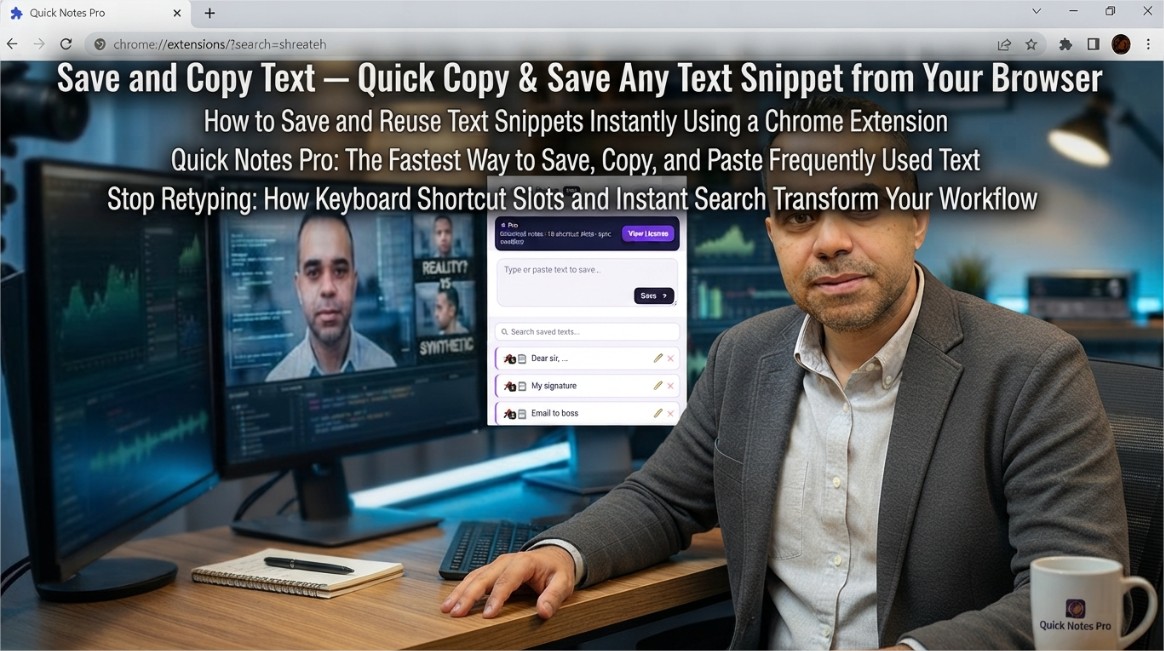
The extension functions as a lightweight text snippet manager that integrates directly with the browser. Users can save any piece of text—whether it is an email template, a code fragment, a shipping address, or a frequently used URL—and retrieve it with a single click or keystroke. The core workflow is intentionally simple:
- Click the extension icon in the browser toolbar
- Paste or type the text you want to save
- Assign it to a keyboard shortcut slot or save it to the general notes list
- Retrieve the text later by clicking the copy button or pressing the assigned keyboard shortcut
The extension operates entirely offline and does not require an account, cloud sign-in, or any external service for basic functionality. Saved notes remain on the user's local device by default, ensuring privacy and eliminating dependency on third-party servers.
Free vs Pro Feature Comparison
The extension offers both a free tier and a Pro version, allowing users to start with core functionality and upgrade as their needs grow.
Free version features include:
- Save up to 5 text snippets
- 3 keyboard shortcut slots (assign texts to Ctrl+Shift+1, 2, or 3 and paste anywhere)
- One-click copy from the popup interface
- Local storage—all notes remain on the user's device
Pro version adds:
- 10 keyboard shortcut slots: Assign texts to slots 1–10 and paste them directly into any field on any website without opening the popup. This eliminates the need to navigate through menus or remember where specific snippets are stored
- Unlimited notes: Save as many snippets as needed without caps, warnings, or the need to delete old entries to make room for new ones
- Instant search: Find any saved text in milliseconds, even across hundreds of notes, using a real-time search interface
- Chrome Sync across devices: Notes follow the user automatically across work laptops, home PCs, and other devices signed into the same Chrome profile
- Export and Import (JSON backup): Back up the entire notes library with a single click, move it between browsers, or restore it at any time
- Edit saved notes: Update any saved note in place without deleting and re-adding it—correct typos or update outdated information seamlessly
The Pro version is available through a license key activation system. Users can choose between a yearly plan, a lifetime single-device license, or a lifetime multi-device plan covering up to three devices. No subscription is required—the license is a one-time purchase that never expires.
Why Text Snippet Management Matters
The productivity impact of efficient text management is significant. Consider the following scenarios:
- Customer support: Agents who handle dozens of tickets daily can save minutes per interaction by using pre-written responses for common questions. Over the course of a week, these savings translate into hours of recovered time
- Software development: Developers frequently reuse code patterns, SQL queries, terminal commands, and configuration snippets. Having these available at keystroke speed reduces context switching and maintains flow state
- Content creation: Writers and editors can store frequently used phrases, citation formats, style guidelines, and editorial templates, ensuring consistency across documents without relying on memory
- Sales and recruiting: Outreach messages, LinkedIn replies, email templates, and follow-up sequences can be standardized and deployed instantly, improving response times and maintaining professional consistency
- Personal productivity: Addresses, tracking numbers, booking references, and other frequently used personal information can be stored securely and retrieved without searching through emails or documents
The extension's keyboard shortcut system is particularly valuable for power users. By assigning the most frequently used text snippets to keyboard shortcuts, users can paste content into any field—on any website—without ever opening the extension popup. This creates a seamless experience where text insertion feels like a native browser feature rather than an external tool.
Technical Implementation and Privacy Considerations
The extension uses Chrome's storage APIs to persist notes locally. In the Free version, data is stored entirely within the browser's local storage, meaning it never leaves the user's device. The Pro version leverages Chrome's sync storage API, which synchronizes data across devices signed into the same Chrome profile. This sync mechanism is encrypted and managed by Chrome itself, not by the extension developer.
The extension does not collect, store, or transmit any user data externally. The developer has clearly stated that no data is sold to third parties, and no data is used for any purpose unrelated to the extension's core functionality. The privacy policy is publicly available and explicitly discloses these commitments.
The extension is built using Manifest V3, the latest version of Chrome's extension platform, which enforces stricter security controls and limits the scope of permissions that extensions can request. This ensures that the extension operates with minimal privileges while still providing its full text management capabilities.
Who Benefits from Quick Notes Pro
The extension is designed to be universally useful across professions and use cases. The developer explicitly highlights the following user groups:
- Customer support agents — save canned replies and paste them in seconds
- Developers — store code snippets, API keys, SQL queries, and terminal commands
- Writers and editors — keep frequently used phrases, citations, and templates
- Sales and recruiting professionals — reuse outreach messages, LinkedIn replies, and email templates
- Everyone — addresses, tracking numbers, passwords (local only), and booking references
The extension's simplicity is its strength. It does not attempt to be a full-featured note-taking application with formatting, attachments, or complex organization structures. Instead, it focuses on one thing: making text retrieval as fast as possible. This focus on a single, well-defined use case ensures that the extension remains lightweight, responsive, and easy to use.
How to Install and Use Save and Copy Text
The extension is available for free on the Chrome Web Store. Installation takes only a few seconds:
- Navigate to the Save and Copy Text listing in the Chrome Web Store
- Click the "Add to Chrome" button
- Confirm the permissions requested by the extension
- Once installed, pin the extension to the toolbar by clicking the puzzle piece icon and selecting the pin icon next to the extension's name
To use the extension, click the icon in the toolbar. The popup interface displays saved notes and provides options to add new ones. To save a new snippet, paste or type the text and click Save. To copy an existing snippet, click the copy button next to it—the text is instantly copied to the clipboard and ready to paste anywhere.
For keyboard shortcut users, assign a saved text to a slot by clicking the slot number next to the note. Once assigned, pressing the corresponding keyboard shortcut (Ctrl+Shift+1 through 0) pastes the text directly into the active field, regardless of which website or application is in focus.
The extension's lightweight footprint—just under 30 KiB—means it has negligible impact on browser performance. It does not run background processes or inject scripts into web pages beyond what is necessary for its core functionality, further minimizing its resource usage.
The Save and Copy Text — Quick Notes Pro extension represents a focused, practical tool that solves a specific problem: making frequently used text instantly accessible from anywhere in the browser. Whether you are a support agent responding to tickets, a developer writing code, or anyone who types the same things repeatedly, the extension provides the speed and convenience you need with minimal friction.
Written by Khalil Shreateh Cybersecurity Researcher & Social Media Expert Official Website: khalil-shreateh.com