Awareness and Security is dedicated to cybersecurity education, online privacy, and digital protection. Discover security tips, threat analysis, hacking awareness, account protection methods, and practical guides designed to help users stay safe in the modern digital world.

- Details
- Written by: khalil shreateh
- Category: Awareness and Security
- Hits: 335
Apple Security Explained
It wasn't the SIM. It wasn't the phone. Lockdown Mode quietly cut off an entire generation of cellular networks the moment you enabled it, and it never explicitly told you that's what just happened.
This article explains what Lockdown Mode was actually built for — defending against sophisticated mercenary spyware, not everyday threats — and why Apple deliberately cut off older cellular networks specifically to block downgrade attacks from cell-site simulators like Stingrays. It walks through exactly why this causes real confusion in the field: in areas with incomplete 4G or 5G coverage, a phone that relied on a 3G fallback suddenly loses signal entirely, producing symptoms that look identical to a failing SIM card or hardware fault. The piece closes with the exact diagnostic steps to check before assuming a hardware problem, including the lesser-known toggle that lets you selectively restore 2G access without fully disabling Lockdown Mode's other protections

- Details
- Written by: khalil shreateh
- Category: Awareness and Security
- Hits: 266
How Things Actually Work
Everybody obsesses over cookies. Meanwhile, the little logo sitting quietly in your browser tab has been doing something cookies were never even capable of.
Read more: The Tracking Trick That Survives Incognito Mode, VPNs, and Clearing Your Cache
- Details
- Written by: khalil shreateh
- Category: Awareness and Security
- Hits: 319
How Things Actually Work
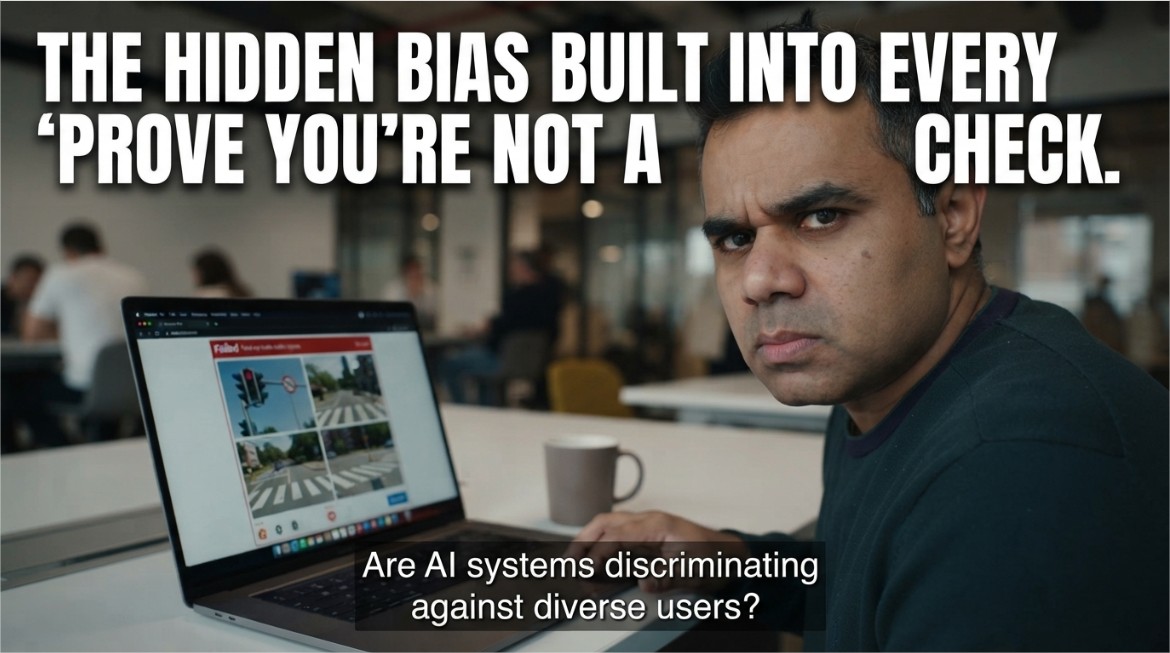
Some days you check a box and you're through instantly. Other days you're squinting at nine blurry photos of a crosswalk. You didn't get unluckier. Something about you scored differently, and you were never told the rules. This article explains how the modern version behind most invisible CAPTCHA checks actually works: a continuously calculated risk score between 0.0 and 1.0, based on mouse movement, timing, and interaction patterns, computed before a visible puzzle ever appears, with each website setting its own threshold for what counts as safe enough. It walks through what gets measured to build that score, and — the part rarely mentioned alongside the "invisible and frictionless" marketing — who ends up scoring lower through no fault of their own: keyboard-only navigators, screen reader users, VPN users, and brand-new visitors with no browsing history for the model to draw on. It closes with genuinely useful, honest habits that nudge a legitimate visitor's score in the right direction, without pretending there's a trick to game a system built to stay deliberately opaque.

- Details
- Written by: khalil shreateh
- Category: Awareness and Security
- Hits: 399
Privacy Archaeology
You've probably clicked "Do Not Track" in a settings menu at some point without thinking twice. Here's the part almost nobody explained: turning it on may have been actively counterproductive.
Starting with the honor-system design that let any website simply ignore the request with zero consequence, through the genuinely counterintuitive twist that enabling it may have made some users more identifiable through browser fingerprinting rather than less. It covers why Apple quietly removed the feature from Safari and Mozilla later did the same in Firefox, what's replacing it in the form of Global Privacy Control, and why that successor has an actual legal enforcement mechanism DNT never had. The real story here isn't really about browser settings — it's a case study in what happens when a privacy protection depends entirely on voluntary compliance from the industry it's meant to restrain.
- Details
- Written by: khalil shreateh
- Category: Awareness and Security
- Hits: 353
Public Wi-Fi & Travel Security
Juice Jacking Is Real, Technically. It's Also Never Actually Happened to Anyone, Apparently.
The FBI has warned about it. The FCC has warned about it. Even the TSA chimed in. And yet, after more than a decade of warnings, there's still no confirmed case of it happening in the wild. So what's actually going on here?. USB cables carry both power and data through the same wires, and security researchers proved the concept as far back as 2011. What rarely makes the headline, though, is that after more than a decade of repeated warnings, no agency has pointed to an actual confirmed case of it happening to a real traveler. This article walks through why the warnings keep recirculating anyway, what the actual risk looks like for an ordinary traveler versus a security researcher's worst-case scenario, and the handful of genuinely low-cost precautions — charge-only cables, USB data blockers, a personal wall charger — that make the debate almost beside the point, since taking them costs nothing regardless of how real you think the risk actually is
Read more: Should You Actually Worry About Public Phone Chargers? Here's the Honest Answer
- Details
- Written by: khalil shreateh
- Category: Awareness and Security
- Hits: 309
Privacy Myths · Reality Check
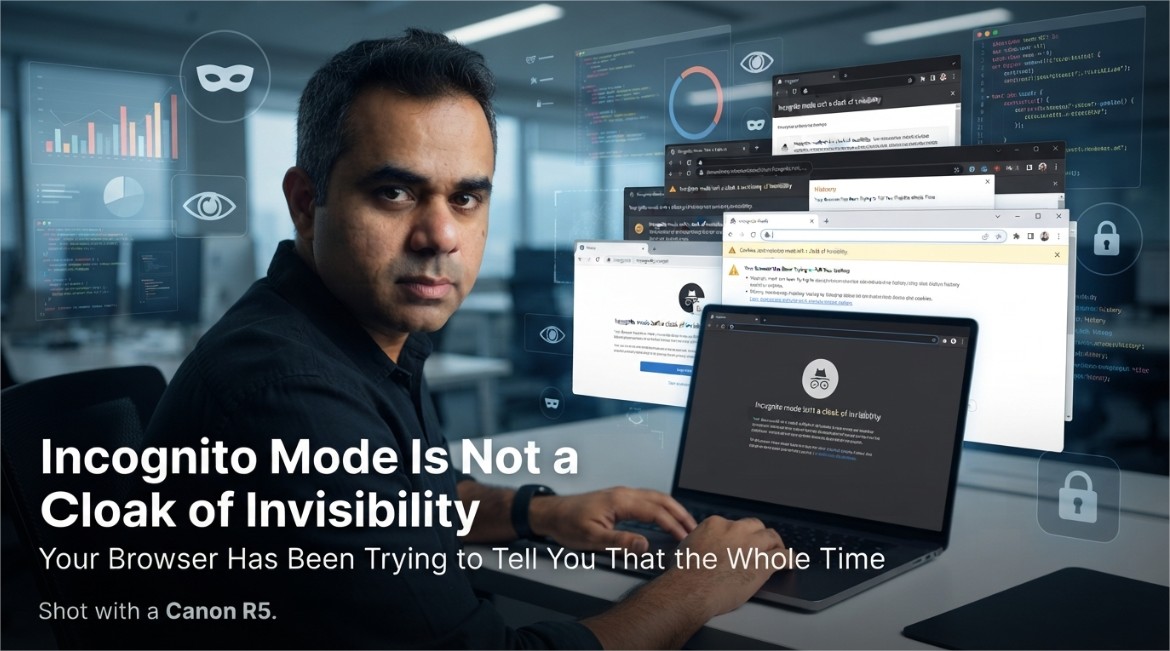
Incognito Mode Is Not a Cloak of Invisibility, and Your Browser Has Been Trying to Tell You That the Whole Time
You open a private window like you're slipping on a disguise. Your Wi-Fi router just watched you do it, unimpressed.
Somewhere out there, someone opened a private browsing window at 2 AM to research a surprise anniversary gift, felt a little smug about their operational security, and then had the gift recommended to them by an ad on Instagram the next morning. This happens constantly. And every time, the reaction is the same: betrayal, confusion, and a quiet suspicion that their phone is somehow listening through the microphone. It isn't. Incognito mode just never promised what everyone assumed it did.
Let's fix that assumption once and for all, because it's costing people surprise parties.
1. What Incognito Mode Actually Promises
Here's the honest, unglamorous truth: private browsing mode does exactly one job, and it does it well. It stops your browser from saving things locally on your own device — no entry in your browsing history, no new cookies left behind after you close the window, no autofill suggestions quietly remembering what you searched. That's genuinely useful if you share a computer, or you're checking something you'd rather not see auto-complete itself in front of family later.
What it was never built to do is make you invisible to the rest of the internet. It's a local privacy tool, not a global one — and the confusion between those two ideas is where the entire myth lives.
2. The Myth-vs-Reality Table Nobody Reads
| What People Assume | What Actually Happens |
|---|---|
| "My internet provider can't see this" | False — your ISP sees the same traffic either way |
| "My employer's network won't log it" | False — network-level monitoring doesn't care about your browser mode |
| "Websites won't know it's me" | False — if you're logged in, the site knows exactly who you are |
| "My browsing history won't be saved on this device" | True — this part genuinely works |
| "Cookies won't persist after I close the window" | True — also genuinely accurate |
Notice the pattern: everything incognito mode actually delivers happens on your device. Everything people wrongly expect from it happens somewhere else entirely — on a network, on a server, inside an account you're still logged into.
3. Everyone Who's Still Watching Anyway
Private browsing changes nothing about how your traffic travels across the internet. It leaves your device exactly the same way it always has, which means the usual cast of characters is still fully in the loop.
📡 Your Internet Provider
Sees which sites you connect to regardless of browser mode, because that visibility happens at the network level, not inside your browser.
🏢 Your Employer or School
Network administrators monitoring company or campus Wi-Fi see the same traffic whether your window says "Incognito" at the top or not.
🌐 The Website Itself
Still receives your request, your IP address, and everything needed to serve you a page — incognito mode doesn't route your traffic anywhere different.
📶 Whoever Owns the Router
On a shared home or public network, the router's own traffic logs are completely unaffected by what your browser tab is labeled.
4. The Website Doesn't Need Your Cookies — It Has Your Fingerprint
Even without a single cookie, websites have gotten remarkably good at recognizing a returning visitor through something called browser fingerprinting — quietly combining details like your screen resolution, installed fonts, browser version, time zone, and dozens of small configuration quirks into a combination specific enough to identify you again later, cookie or no cookie.
None of this requires anything sneaky or illegal on the website's part — it's just a side effect of how much technical detail your browser hands over automatically on every single page load, incognito or not. The private window closes the cookie door. It leaves several other doors wide open, mostly because those doors were never part of what incognito mode was designed to close.
5. The One Thing Incognito Can Never Fix
Here's the part that trips up almost everyone: if you log into your account inside a private window — your email, your social media, your shopping account — the entire privacy benefit evaporates instantly for anything you do afterward on that site. You've just told the website exactly who you are, voluntarily, with your own password. No amount of browser privacy mode can undo that handshake.
6. What Actually Gets You Real Privacy
None of this means private browsing is useless — it does its specific job well. It just means you need different tools for different privacy goals, rather than expecting one browser setting to cover all of them at once.
- Use incognito mode for what it's actually for: keeping local history and autofill clean on a shared device.
- Use a reputable VPN if your goal is hiding your browsing from your internet provider or a shared network — this operates at the network level, which is the layer incognito mode never touches.
- Log out of accounts entirely if you want a search or purchase not tied back to your identity, rather than assuming a private window quietly logs you out for you.
- Understand that fingerprinting-resistant browsing (privacy-focused browsers, tracker-blocking extensions) addresses a completely different problem than local history — layer these together instead of relying on any single one.
- Accept that on a company or school network, the network owner's visibility isn't something any browser setting on your end can override.
Conclusion
Incognito mode isn't lying to you, exactly — it's just been badly named for two decades, and the little spy-hat icon really hasn't helped clear things up. It was built to solve one specific, genuinely useful problem: keeping your local browsing history and autofill clean. It was never built to make you invisible to your ISP, your employer, or a website you're logged into — and expecting it to do all of that is how surprise anniversary gifts keep getting spoiled by an ad algorithm that was never actually fooled in the first place.
Know what the tool actually does, use the right tool for the actual privacy goal you have, and maybe just log out next time you're shopping for a surprise.
Explore More Awareness & Security Content
Discover more security tips, threat analysis, hacking awareness, and practical guides designed to help you stay safe online.
Visit Awareness & Security →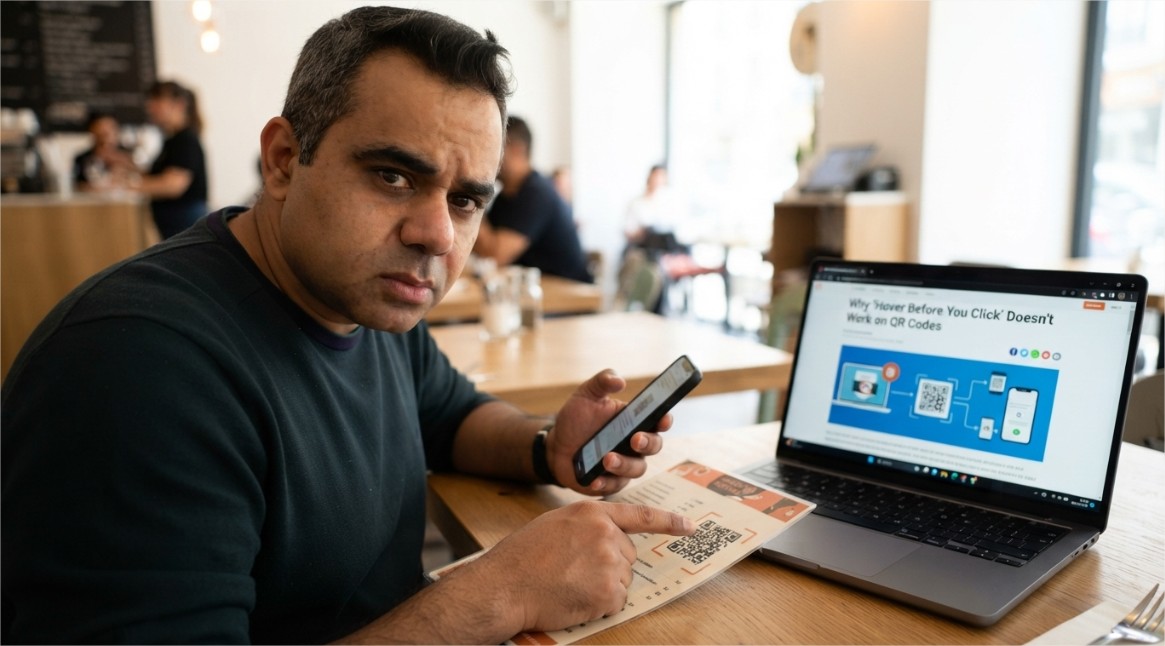
- Details
- Written by: khalil shreateh
- Category: Awareness and Security
- Hits: 589
Cybersecurity Awareness
Quishing: How a Sticker Over a QR Code Became a Serious Phishing Threat
The parking meter looks normal. The restaurant menu looks normal. The QR code taped over the real one looks normal too — and that's exactly the problem.
A QR code carries no visible information about where it leads. That single fact — obvious once stated, almost never considered in the moment — is the entire basis for an attack category that has quietly become one of the more effective phishing variants in circulation: quishing, or QR code phishing.
Unlike a suspicious link in an email, which at least displays as text a cautious person might scrutinize, a QR code is a black box by design. You cannot read a QR code the way you can read a URL. You scan it and trust the result, because that is the only way a QR code can be used at all.
1. Why This Attack Only Became Viable Recently
QR codes existed for decades as a mostly niche technology before becoming a mainstream part of daily life. The shift came from a specific combination of factors: contactless service expectations normalized QR-based menus and check-ins, and native camera apps on modern smartphones added built-in QR scanning without requiring a separate app. Both changes removed friction from scanning random codes in public spaces — and removed the moment of hesitation that used to accompany installing a dedicated scanner app just to read one.
The attack itself isn't new in concept — it's the same redirection logic used in traditional phishing links. What changed is the delivery mechanism, and delivery mechanism is precisely what most existing security training and email filtering was built around.
2. The Specific Blind Spot QR Codes Exploit
Years of phishing awareness training have taught people one consistent habit: hover over a link before clicking, and look at the actual destination URL. This single habit catches an enormous share of traditional phishing attempts, because a mismatched or suspicious domain is often visible before any click occurs.
A QR code has no equivalent preview step for most users. The destination is only revealed after scanning, at which point the phone has often already opened a browser or begun loading the page. The verification step that traditional phishing training relies on doesn't exist in the same form here — it has to be deliberately added back in, rather than assumed as a natural habit.
3. Where Quishing Actually Shows Up
The effectiveness of this attack depends heavily on context — a QR code feels legitimate specifically because QR codes are now expected in so many ordinary situations.
🅿️ Parking Meters and Payment Kiosks
A sticker with a fraudulent QR code is placed directly over the legitimate payment code, redirecting drivers to a fake payment page that captures card details.
🍽️ Restaurant Table Codes
Table-tent QR codes for menus or ordering are swapped or overlaid, leading customers to a convincing but fraudulent ordering or payment interface.
📦 Fake Delivery Notices
Physical notices left at a door claim a package requires customs payment or redelivery scheduling via a QR code, leading to a credential or payment-harvesting page.
📧 Email-Embedded QR Codes
Phishing emails increasingly embed a QR code as an image instead of a clickable text link, specifically to slip past filters built around scanning link text and domains.
🏢 Fake Wi-Fi or Check-In Codes
A code posted in a lobby or event space claiming to offer Wi-Fi access or event check-in instead leads to a credential-harvesting or malicious profile-installation page.
4. Why Email and Web Filters Struggle With This
Traditional phishing detection leans heavily on analyzing link text, domain reputation, and known-malicious URL databases directly present in a message. When a malicious URL is embedded inside a QR code image instead of appearing as text, that entire detection layer has to work differently: the filtering system must first recognize that an image contains a QR code, then decode it, then evaluate the resulting URL — an extra processing step that not every filter performs by default, and one that is comparatively new relative to decades of text-based link scanning.
This gap is exactly why quishing has increasingly been used as a way to reach inboxes that would otherwise catch a conventional phishing link on sight. The malicious destination is identical in principle to a normal phishing link — it is only the packaging that changed.
5. Recognizing a Malicious QR Code
Because the code itself gives no visual indication of its destination, the warning signs here are almost entirely contextual and physical rather than visual.
- A QR code that looks like a sticker placed over another code — check the edges for a raised sticker outline or a different paper texture from the surrounding sign.
- A QR code appearing somewhere it wouldn't normally be expected, such as loose on a wall, a random flyer, or a parking area with no other signage referencing it.
- Urgency-driven framing on a printed notice — "scan immediately to avoid a fee," "final notice," or similar pressure language paired with a code.
- A QR code embedded as an image inside an email, especially one urging immediate action like a password reset, delivery confirmation, or payment update.
- A destination page, once scanned, that asks for a password, payment card, or personal details immediately, especially if the branding looks slightly off or generic.
6. Building a Personal and Organizational Defense
The defense here is less about new technology and more about restoring the verification step that QR codes accidentally removed from everyday habits.
- Before scanning, check whether your phone's camera app shows a URL preview before opening it — most modern phones display the decoded link before navigating, and that preview is worth actually reading.
- Treat QR codes in public physical spaces with the same skepticism as an unsolicited link — verify against the venue's official website or app rather than assuming a posted code is legitimate.
- Avoid entering payment or login details immediately after scanning a code in a public setting; if payment is genuinely required, navigate to the organization's known official site or app directly instead.
- For organizations distributing physical QR codes — menus, event materials, signage — inspect codes periodically for signs of tampering or overlay stickers.
- For email security teams, ensure filtering tools specifically decode and evaluate QR codes embedded as images, not just text-based links, since this is an increasingly common evasion technique.
- Enable multi-factor authentication on accounts that could be targeted through a quishing-driven credential page, so a single scanned code and entered password isn't enough for full account access.
Conclusion
Quishing doesn't succeed because QR code technology is flawed — the format itself is just an encoding method, no more dangerous than a normal hyperlink. It succeeds because it exploits a genuine gap between how people were trained to evaluate links and how QR codes are physically used: scanned quickly, in public settings, usually without the deliberate pause that text-based link scrutiny still gets.
Closing that gap doesn't require avoiding QR codes altogether, since they remain a legitimate and convenient technology in countless everyday contexts. It requires treating the moment right after a scan — before entering any password, payment detail, or personal information — as the same decision point a suspicious link would trigger, rather than a formality already settled by the act of scanning itself.
Explore More Awareness & Security Content
Discover more security tips, threat analysis, hacking awareness, and practical guides designed to help you stay safe online.
Visit Awareness & Security →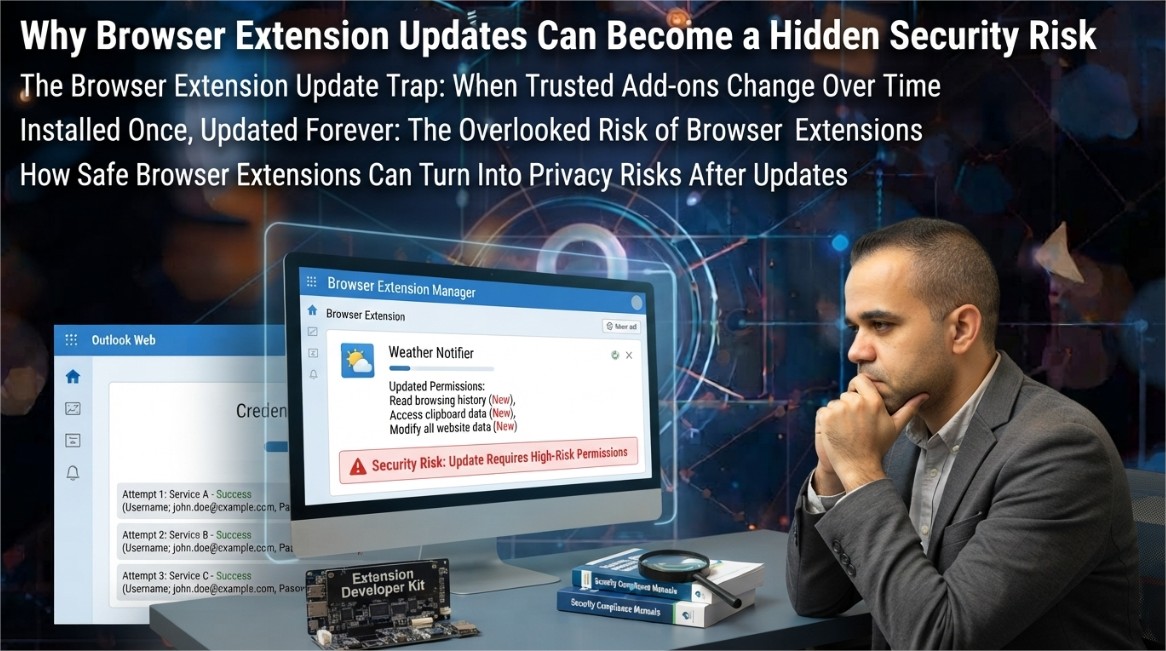
- Details
- Written by: khalil shreateh
- Category: Awareness and Security
- Hits: 358
Cybersecurity Awareness
The Browser Extension You Installed Two Years Ago Might Be Reading Everything You Type
It started as a harmless coupon finder or PDF converter. Then it got sold, updated silently, and quietly turned into a data collection tool — without ever asking your permission again.
When you install a browser extension, you make a single trust decision at one moment in time. What almost nobody accounts for is that the extension you approved doesn't stay frozen at that moment — it keeps updating, silently, in the background, often for years, and each update operates under the permission grant you gave once and never revisited.
This gap between a one-time approval and an indefinitely evolving piece of software running inside your browser — with access to every page you visit — is one of the most persistently underestimated attack surfaces in everyday computing.
1. The Permission Loophole Nobody Talks About
Extension platforms generally re-prompt users for approval only when a new permission is added that wasn't previously granted. If an extension already has broad access — for example, permission to read and modify data on every website you visit — the developer can rewrite almost the entire logic of the extension without triggering a single new permission prompt. The code changes completely; the permission screen you saw at install time never changes at all.
This matters because a huge share of malicious extension activity doesn't start as malicious. It starts as a legitimately useful tool — a screenshot utility, a coupon aggregator, a color picker, a PDF-to-Word converter — built by an independent developer who eventually loses interest, runs out of funding, or is approached directly by a data broker or ad network willing to buy the extension purely for its installed user base.
2. Three Ways a Good Extension Turns Malicious
💰 Silent Sale to a Data Broker
The original developer sells the extension and its user base. The buyer pushes an update that adds tracking or data collection code, often disguised inside routine-looking version bumps.
📦 Compromised Update Pipeline
An attacker gains access to the developer's publishing credentials and pushes a malicious update directly, without the original developer's knowledge or consent.
🎯 Gradual Scope Creep
A struggling developer monetizes slowly — first with ads, then with browsing-data collection, then with more invasive tracking — each step small enough that users rarely uninstall in response to any single change.
3. Reading Permissions Like a Security Researcher
The permission names shown at install time are technical and easy to skim past, but each one maps to something concrete the extension can actually do. Understanding a handful of the most consequential ones changes how you evaluate every future install.
| Permission Shown | What It Actually Allows |
|---|---|
| Read and change all your data on the websites you visit | Full access to page content, including anything typed into forms — passwords, messages, card numbers — before encryption is even relevant. |
| Read your browsing history | A complete list of every site visited, which can be aggregated into a detailed behavioral and interest profile. |
| Manage your downloads | Ability to see, modify, or intercept files being downloaded, including documents and installers. |
| Access your clipboard | Ability to read anything copied to the clipboard, including passwords or two-factor codes copied from an authenticator app. |
| Communicate with cooperating websites | Allows the extension to exchange data with specific external servers, often used for the tracking or exfiltration components of a compromised extension. |
None of these permissions are inherently malicious in isolation — a legitimate password manager extension needs to read and modify page data to autofill credentials. The distinction that matters is whether the scope of permission requested is proportional to what the extension's stated function actually requires.
4. What a Malicious Extension Actually Collects
When an extension is compromised or repurposed for data collection, the most valuable and commonly targeted data falls into a few consistent categories, because these are what have direct resale or exploitation value:
- Form data entered on banking, shopping, and login pages before submission, often captured regardless of whether the connection is encrypted.
- Complete browsing history correlated with timestamps, used to build advertising or behavioral profiles sold to data brokers.
- Session cookies and authentication tokens, which can enable account access without ever needing a password at all.
- Search queries and on-page text, sometimes repurposed to inject affiliate links or redirect search results toward sponsored content.
- Screenshots or page content from specific targeted domains, such as webmail providers or corporate intranets.
5. Why App Store Review Doesn't Catch This
Extension marketplaces do run automated and sometimes manual review before an extension is published or updated, but this review model has a structural weakness: it primarily evaluates the code as it exists at submission time. Extensions can be built to check conditions before activating unwanted behavior — for instance, only triggering data collection after a delay, or only on domains not commonly used for testing — specifically to reduce the chance that automated review catches the behavior during the review window itself.
Additionally, updates to already-published extensions frequently receive lighter scrutiny than the initial submission, particularly for minor version increments, which is precisely the mechanism scope-creep and post-acquisition malicious updates rely on.
6. A Practical Extension Audit You Can Do Today
The fix here isn't avoiding extensions entirely — many are genuinely useful and safe — it's treating your installed extension list the way you'd treat a list of people with keys to your house: worth periodically reviewing, not something you set once and forget.
- Open your browser's extension management page and actually read the full list — most people are surprised by how many they've forgotten they installed.
- For each extension, ask whether you still actively use it. If not, remove it — an uninstalled extension has zero attack surface.
- Check the permissions each extension currently holds, not just what you remember approving originally, since permissions can expand with legitimate feature updates too.
- Favor extensions that clearly state a narrow, specific purpose over multi-purpose "all-in-one" tools that request broad access to justify a wide feature set.
- Check the developer's publishing history — a sudden change in developer name or a large gap followed by resumed updates after years of inactivity are both signals worth a closer look before trusting the next update.
- For anything handling sensitive data — password managers, banking-adjacent tools — prefer extensions from developers with a verifiable, ongoing reputation over lesser-known alternatives with similar functionality.
- Disable extensions you don't currently need rather than leaving them active indefinitely; most browsers let you toggle this without a full uninstall.
Conclusion
Browser extensions occupy a uniquely privileged position: they run with your logged-in sessions, see your typed input, and often sit quietly for years without drawing attention. That combination — high access, low ongoing scrutiny — is exactly what makes a previously trustworthy extension such an effective vehicle for data collection once ownership, incentives, or intentions change behind the scenes.
The good news is that the fix requires no special technical skill, only a habit: periodically reviewing what's actually installed, questioning whether each extension's permissions still match its stated purpose, and removing anything you no longer actively use. The extension itself was never the real risk. An extension left unexamined for years, quietly accumulating trust it was never re-earning, is.
Explore More Awareness & Security Content
Discover more security tips, threat analysis, hacking awareness, and practical guides designed to help you stay safe online.
Visit Awareness & Security →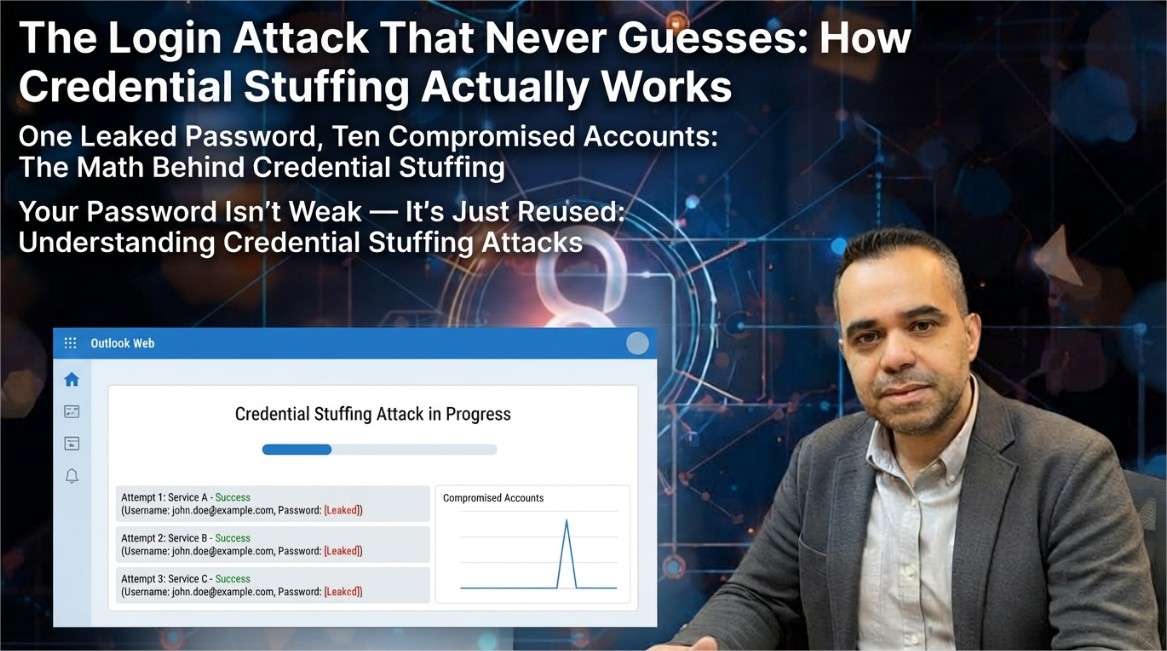
- Details
- Written by: khalil shreateh
- Category: Awareness and Security
- Hits: 317
Cybersecurity Awareness
Credential Stuffing: Why Reusing One Password Puts Every Account You Own at Risk
This attack doesn't guess your password. It already knows it — from a breach at a completely different company you've probably never connected in your mind.
Most people picture password attacks as a hacker sitting at a screen, guessing combinations one at a time until something works. That image is almost entirely wrong for the attack that actually does the most damage today. Credential stuffing doesn't guess anything. It takes a password that is already known to be correct — because it leaked from an unrelated breach — and simply tries it somewhere else.
The mechanism is almost insultingly simple, and that simplicity is exactly why it remains so effective years after security teams first started warning about it.
1. Credential Stuffing vs. Brute Force: A Critical Distinction
Brute-force attacks and credential stuffing get lumped together constantly, but they solve completely different problems, and confusing the two leads to the wrong defenses.
A brute-force attack targets one account and tries many possible passwords against it — essentially guessing blind, constrained only by password complexity rules. It's slow, noisy, and increasingly blocked by simple rate limiting and account lockouts.
Credential stuffing flips this entirely. The attacker already has a large list of real email-and-password pairs, harvested from a previous data breach at some other company — a retailer, a forum, an old app you signed up for once and forgot about. Instead of guessing, they take that exact working password and try it against your accounts on completely different platforms: your email provider, your bank, your social media. No guessing is involved. The password isn't a guess — it's a fact, just applied to the wrong door.
2. The Reuse Math That Makes This Attack Work
The reason credential stuffing scales so well comes down to basic probability, not clever hacking. Consider what happens when a single set of breached credentials is tested against a list of popular platforms:
If a person reuses 1 password across 10 accounts,
and just 1 of those 10 services is ever breached,
the attacker now holds working keys to the other 9 — instantly, for free.
This is why credential stuffing tools don't need to be aimed at any specific person to be dangerous. An attacker doesn't need to know or care who you are. They run a breached list against login pages at scale, and whichever accounts happen to match — because someone reused a password — simply fall out the other end as confirmed hits. You become a target purely through statistical overlap, not because anyone chose you.
3. How the Attack Is Actually Carried Out
Breached credential lists circulate widely after major incidents, often compiled and re-shared long after the original breach was patched or disclosed. These lists are traded, combined with other leaked datasets, and eventually used as raw material for stuffing attempts.
From there, the process is largely mechanical rather than skillful: automated tools submit login attempts across many sites in rapid succession, cycling through the credential list against each target's login form. Because the attacker is testing thousands or millions of already-correct password guesses rather than random ones, even a modest success rate — a small single-digit percentage of accounts where reuse occurred — produces a meaningful number of compromised accounts when applied to a large enough list.
This piece is described here only at the mechanism level — what makes the attack effective — not as a working method, since the goal of understanding this is entirely defensive: recognizing why reuse is the actual vulnerability being exploited, not the login form itself.
4. Why This Is Hard for Companies to Block
From a defender's perspective, credential stuffing is uncomfortable precisely because every individual login attempt looks completely legitimate. The username and password are correct. There's no obvious sign of guessing, no repeated failed attempts against one account, no suspicious character patterns. The request looks exactly like what happens millions of times a day when real users log in successfully.
🎭 It Mimics Real Traffic
Each attempt uses a genuinely correct password, so simple failed-login monitoring rarely catches it on its own.
🌐 It's Distributed
Attempts are frequently spread across many IP addresses, making basic IP-based rate limiting far less effective.
📊 It Hides in Volume
Large platforms process enormous login volumes normally, so a spike has to be unusually large to stand out from ordinary traffic.
🔁 It's Reusable Infrastructure
The same breached list can be tested against dozens of unrelated platforms with no additional effort from the attacker.
5. Defending Your Own Accounts
The good news is that the defense here is unusually clear-cut, because the vulnerability is specific: password reuse. Removing reuse removes almost the entire attack.
- Use a unique password for every account — a password manager makes this practical without requiring memorization.
- Enable multi-factor authentication wherever it's offered, prioritizing an authenticator app or hardware key over SMS codes.
- Check whether your email address appears in known breach datasets using a reputable breach-notification service such as Have I Been Pwned, and change any reused passwords tied to affected accounts immediately.
- Pay particular attention to old, forgotten accounts — a password reused from a site you signed up for years ago and never think about is just as dangerous as one from an account you use daily.
- Where a platform supports passkeys instead of passwords, use them — a passkey cannot be reused across sites the way a text password can, because it isn't a shared secret to begin with.
6. Defending a Login System You Manage
If you operate a website or application with user accounts, the defensive posture looks different, because you can't control whether your users reuse passwords elsewhere — but you can control how your system responds to the pattern this attack produces.
- Implement rate limiting and progressive delays per account and per IP, rather than relying on either signal alone.
- Deploy device and behavioral fingerprinting to flag logins that succeed with correct credentials but come from an unfamiliar device, location, or browser configuration.
- Use CAPTCHA or equivalent challenge mechanisms specifically when anomalous login velocity is detected, rather than on every login attempt.
- Screen new and existing passwords against known breached-password datasets at signup and login, rejecting credentials that appear in public breach corpora.
- Offer — and actively encourage — multi-factor authentication and passkey support rather than treating them as optional add-ons buried in account settings.
- Monitor for the specific signature of credential stuffing: a high volume of login attempts with a low failure-to-success ratio spread across many accounts, rather than many failures against one account.
Conclusion
Credential stuffing persists not because it's technically sophisticated, but because it exploits something almost every internet user still does: reusing a password across more than one account. The attack requires no cleverness against your specific defenses — it only requires that a password you chose years ago, for a service you may not even remember, was correct somewhere else too.
The fix is narrower and more achievable than most security advice: eliminate reuse, add a second authentication factor, and treat old dormant accounts with the same seriousness as the ones you use every day. None of this requires deep technical expertise — it requires recognizing that the weak point was never the strength of any single password, but the decision to let one password answer for more than one account.
Explore More Awareness & Security Content
Discover more security tips, threat analysis, hacking awareness, and practical guides designed to help you stay safe online.
Visit Awareness & Security →
- Details
- Written by: khalil shreateh
- Category: Awareness and Security
- Hits: 346
Cybersecurity Awareness
SIM Swapping: The Silent Attack That Turns Your Own Phone Number Against You
Your phone number was never meant to be a security key. Attackers figured that out long before most carriers did — and they're using it to drain bank accounts in minutes.
Somewhere right now, a phone goes dark mid-afternoon. No signal, no bars, no explanation. Within the hour, the owner's email is compromised, their bank app shows a password reset they never requested, and their cryptocurrency wallet is empty. They didn't click a malicious link. They didn't download anything. Their phone number was simply handed to someone else — by their own mobile carrier.
This is SIM swapping, sometimes called a port-out scam, and it remains one of the most underestimated attack vectors in personal cybersecurity, precisely because it doesn't feel like a hack. It feels like a customer service transaction — because that's exactly what it is.
1. Why Your Phone Number Became a Master Key
Somewhere along the way, your phone number quietly evolved from a simple contact detail into the backbone of your entire digital identity. It resets your email password. It receives your two-factor authentication codes. It verifies your bank login. It's the recovery method for nearly every account you own.
The problem is that a phone number was never designed with that level of trust in mind. It's just a routing address assigned by a carrier — and carriers can reassign it, sometimes with surprisingly little verification, because the underlying process was built decades ago to solve a much simpler problem: letting people switch phones without losing their number, not to act as a security credential.
2. How a SIM Swap Attack Actually Unfolds
The attack rarely starts with your phone at all. It starts with information gathered well in advance.
-
ReconnaissanceThe attacker gathers your name, date of birth, address, and account details from data breaches, social media, or phishing emails.
-
Impersonation CallPosing as you, the attacker contacts your mobile carrier claiming their phone was lost, stolen, or damaged, and requests the number be moved to a new SIM card.
-
Social Engineering the RepUsing the gathered personal details to pass identity checks, the attacker convinces a support agent to activate the number on a SIM they control.
-
Your Phone Goes SilentYour device instantly loses service. This is the first — and often only — visible sign anything is wrong, and it usually goes unnoticed for a critical window of time, especially overnight or during work hours when a dead phone might just seem like a dead battery.
-
Account TakeoverWith your number now under their control, the attacker triggers password resets on email, banking, and crypto accounts, intercepting every verification code sent by SMS.
3. What Attackers Are Really After
💰 Cryptocurrency Wallets
Exchange accounts often rely on SMS-based 2FA, making them a favorite target since crypto transfers are difficult to reverse once completed.
🏦 Banking Access
Many banks still allow SMS codes as a password reset method, giving attackers a direct path into checking and savings accounts.
📧 Primary Email Accounts
Once email is compromised, it becomes a master key to reset passwords across dozens of other connected services.
📱 Social Media Handles
High-value or recognizable usernames are frequently hijacked and resold, sometimes purely for status within online communities.
4. Early Warning Signs You're Being Targeted
SIM swap attacks move fast, but they rarely happen without warning. Recognizing these signs early can be the difference between a close call and a drained account.
- Unexpected loss of cellular signal or "No Service" with no clear cause, especially after receiving unusual calls or texts.
- Notifications from your carrier about a SIM card change or account update you didn't request.
- Password reset emails arriving for accounts you didn't try to access.
- Being suddenly logged out of email, banking, or social media apps without explanation.
- Unusual login alerts from unfamiliar devices or locations shortly before the phone goes silent.
5. How to Lock Down Your Number and Accounts
The single most effective defense against SIM swapping is removing your phone number as the weak link in your account security entirely.
- Replace SMS-based two-factor authentication with an authenticator app wherever the option exists.
- Use a hardware security key for your most critical accounts — email, banking, and cryptocurrency exchanges.
- Set a PIN or passphrase directly on your mobile carrier account that must be provided before any changes are made.
- Avoid oversharing personal details publicly — birthdates, addresses, and family names are exactly what attackers use to pass identity checks.
- Use a separate, less publicly known phone number or email for account recovery on high-value accounts.
- Freeze your credit with major bureaus if you notice signs of identity-related fraud alongside a SIM swap attempt.
6. Carrier-Level Protections Worth Enabling
Most major mobile carriers now offer specific protections against unauthorized SIM changes, but they are rarely enabled by default. It's worth calling your carrier directly to ask about:
- Port-out and SIM-change PIN protection tied specifically to your account.
- Enhanced identity verification requirements before any SIM or number changes are processed.
- Account-level alerts sent to a secondary contact method whenever a SIM change request is made.
- A temporary lock on SIM changes that can only be lifted by visiting a physical store with ID.
Conclusion
SIM swapping succeeds not because attackers are technical geniuses, but because they understand something most of us overlook: the phone number we treat as an unshakable piece of our identity is really just a setting inside someone else's system. It can be moved, reassigned, and handed to a stranger with the right script and enough patience on a customer service call.
The fix isn't complicated, but it does require deliberate action — moving away from SMS as a security backbone, locking down your carrier account with a PIN, and treating your phone number the same way you'd treat a password: as something that can be stolen, and therefore something worth actively protecting rather than assuming is safe by default.
Explore More Awareness & Security Content
Discover more security tips, threat analysis, hacking awareness, and practical guides designed to help you stay safe online.
Visit Awareness & Security →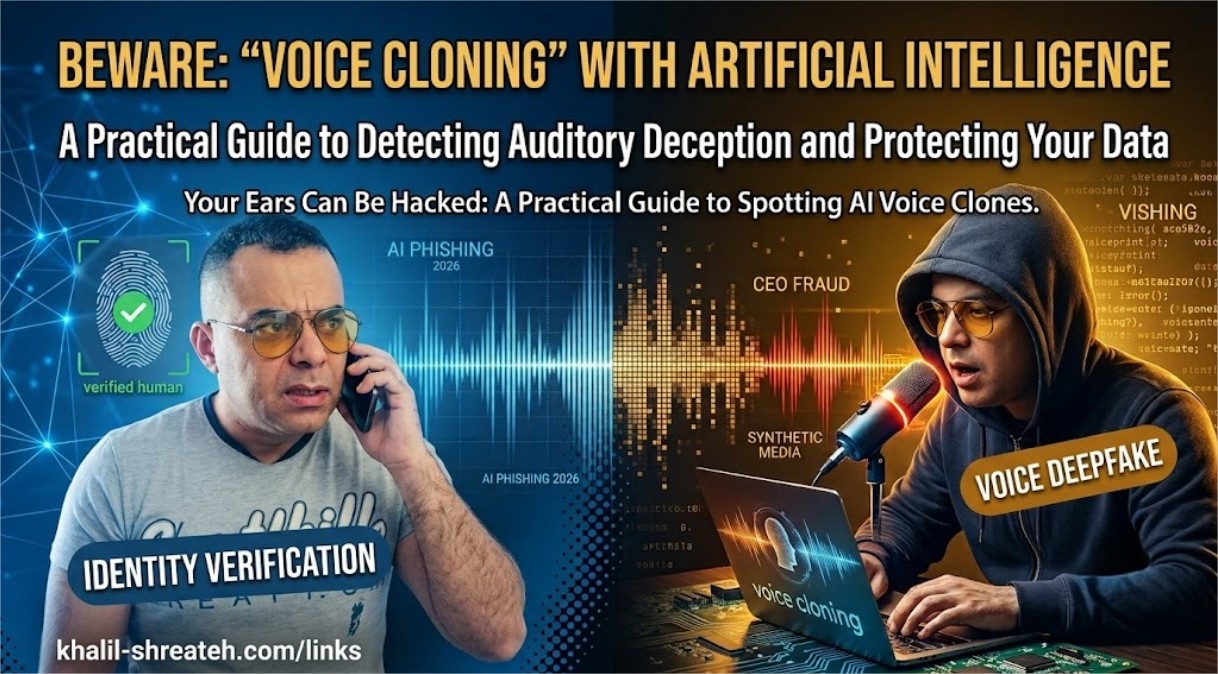
- Details
- Written by: khalil shreateh
- Category: Awareness and Security
- Hits: 338
Cybersecurity Awareness
The Voice on the Phone Isn't Real: Inside the Rise of AI Deepfake Social Engineering
Attackers no longer need to guess your password — they can now clone your boss's voice, your daughter's face, or your CEO's video call in seconds. Here's how, and how to fight back.
Picture this: your phone rings. It's your son. His voice is shaking. He says he's been in an accident and needs money transferred immediately. Every inflection, every nervous pause, sounds exactly like him — because it is his voice. Except he never made this call. Somewhere, an attacker fed a short clip of audio scraped from a social media video into an AI model, and produced a convincing vocal clone in under a minute.
This is no longer science fiction. It is one of the fastest-growing categories of fraud, and it has quietly made an entire generation of trusted verification methods — a familiar voice, a recognizable face on a video call — far less reliable than most people assume.
1. A New Kind of Attack Surface
For decades, security training taught us to trust our senses. If you heard your manager's voice, it was your manager. If you saw a colleague on a video call, it was your colleague. Generative AI has quietly dismantled that assumption, and most organizations have not caught up.
What makes this threat category especially dangerous is that it doesn't exploit a flaw in your software — it exploits a flaw in human trust itself. No firewall, antivirus, or password policy can stop an employee from believing their own eyes and ears.
2. How AI Voice & Video Cloning Actually Works
Understanding the mechanics behind these attacks removes their mystery — and makes them far easier to defend against.
Voice Cloning
Modern voice-synthesis models need only a short sample of clean audio to build a convincing vocal profile. Attackers harvest this audio from publicly available sources: YouTube videos, Instagram stories, voicemail greetings, podcast appearances, or even a brief phone call where the target says almost nothing meaningful. The model then learns pitch, cadence, accent, and speech patterns, and can generate entirely new sentences in that voice — including sentences the real person never said.
Video Deepfakes
Real-time face-swapping tools can now overlay a synthetic face onto a live video feed during an actual video call, matching lip movement, blinking, and lighting convincingly enough to pass a casual glance — and increasingly, even a careful one.
3. Five Real Deepfake Attack Scenarios
👔 CEO Fraud (Vishing)
An employee receives an urgent "call" from a cloned executive voice demanding an immediate wire transfer, bypassing normal approval channels.
👨👩👧 Family Emergency Scam
A cloned voice of a relative claims to be in danger, arrested, or hospitalized, pressuring the victim into sending money within minutes.
📹 Fake Video Conference
Attackers join a live video call using a real-time deepfake of a trusted colleague or executive to authorize a fraudulent transaction.
🗳️ Disinformation Clips
Fabricated video statements attributed to public figures or company leaders spread rapidly, damaging reputations before they can be debunked.
🔓 Biometric Bypass
Synthetic voice or face data is used to attempt to bypass voice-authentication banking systems or facial-recognition login checks.
4. Case Study: The $25.6 Million Video Call
In one of the most well-documented incidents to date, a finance employee at the Hong Kong office of Arup — a London-based engineering firm behind projects like the Sydney Opera House — joined what appeared to be a routine video conference with several senior colleagues, including the company's CFO. Every participant on the call except the employee was an AI-generated deepfake, built from publicly available video and audio of the real executives.
Believing the instructions came directly from leadership on a live video call, the employee carried out fifteen transfers totaling roughly $25.6 million (HK$200 million) before the fraud was discovered. No malware was involved. No system was breached. The entire attack succeeded purely by exploiting trust in familiar faces and voices — Hong Kong police later confirmed the case at a public briefing, and Arup itself confirmed the incident to reporters.
5. How to Detect a Deepfake in Real Time
While detection tools are improving, the most reliable defenses right now are behavioral, not technical. Train yourself to notice these warning signs during suspicious calls or video meetings:
- Unnatural pauses or slightly robotic rhythm in speech, especially during emotional moments.
- Audio that sounds slightly "flat" or lacks background ambience consistent with the claimed location.
- On video: unnatural blinking patterns, inconsistent lighting on the face versus the background, or blurring around the jawline and hairline.
- Lip movement that is slightly out of sync with the audio, particularly on fast or complex words.
- Extreme urgency combined with a request to bypass normal verification or approval steps.
- Reluctance or a poor excuse when asked to do something unscripted, like turning their head or answering a personal question only the real person would know.
6. Building Personal & Organizational Defenses
The good news: defending against deepfake social engineering does not require exotic technology. It requires deliberate process design, because the vulnerability being exploited is procedural, not technical.
For Individuals
- Establish a family "safe word" that must be used to verify identity during any emergency phone call.
- Never act on a financial request received solely by phone or video — always verify through a separate, previously known channel.
- Limit publicly posted audio and video of yourself and family members where practical, especially clear voice recordings.
- If a call feels urgent and emotionally charged, treat that urgency itself as a red flag, not a reason to act faster.
For Organizations
- Require dual-channel verification for any financial transaction above a defined threshold, regardless of who appears to be requesting it.
- Establish a callback policy: verify unusual requests by calling a known, pre-saved number — never a number provided during the suspicious call itself.
- Train employees specifically on deepfake tactics, not just traditional phishing, as part of regular security awareness programs.
- Adopt a "no urgent exceptions" culture where bypassing standard approval processes always requires additional verification, not less.
- Use pre-agreed verification phrases for high-stakes video calls involving executives or financial decisions.
Conclusion
For most of human history, seeing and hearing someone was proof enough of who they were. That assumption has quietly weakened, and very few institutions, families, or individuals have updated their instincts to match. The technology behind deepfakes will keep improving, and detection will always be playing catch-up.
The only defense that scales is procedural: verification steps that do not depend on trusting a voice or a face, no matter how convincing. Build that habit now, before the phone rings with a voice you recognize, asking for something you shouldn't give.
Explore More Awareness & Security Content
Discover more security tips, threat analysis, hacking awareness, and practical guides designed to help you stay safe online.
Visit Awareness & Security →- Session Hijacking: How Attackers Steal Your Identity Without Your Password
- 8 Critical Cyber Threats in 2026 and How to Defend Against Them
- How to Protect Your Online Privacy When Registering on Websites Using Temporary Emails and Fake Profiles
- Facebook Account Security Guide
- Web Security Forensics | Chrome DevTools Bug Bounty Guide
- SQL Injection, Defensive Strategies & OWASP Guidelines
- A Comprehensive Cybersecurity Awareness and Research Guide
- Network and System Security: A Comprehensive Cybersecurity Awareness and Research Guide
- Understanding Error-Based SQL Injection in ASP/ASPX Applications: A Security Awareness Guide
- XSS Protection for Developers: A Complete Guide to Securing Web Applications