Account Security · SMS Troubleshooting
Same phone. Same app. One country code gets the verification code every time, and another never does. It feels like the platform singled you out, but the real explanation sits several steps upstream, in infrastructure you never see.
This article breaks down how SMS verification codes actually travel from a company's server to your phone, why the exact same message can succeed on one registered country code and vanish on another with zero error shown to anyone, and a real troubleshooting sequence to isolate whether the problem is your device, your carrier, or the platform's delivery route — including how to escalate directly with a company's support team without ever handing over your password or your one-time code.
📋 Table of Contents
- It's Almost Never Your Phone. Here's What It Actually Is.
- The Journey a Verification Code Actually Takes
- Why One Country Code Sails Through and Another Just Vanishes
- The Part That Makes This So Confusing: Nobody Gets an Error
- A Real Troubleshooting Sequence, In Order
- How to Escalate With Support Without Ever Sharing Your Password
1. It's Almost Never Your Phone. Here's What It Actually Is.
When a verification code stops showing up, the instinct is to blame the phone. Check for storage space. Check Do Not Disturb. Restart it twice for good measure. Sometimes that's genuinely the fix. But when the pattern is this specific — one country code works flawlessly, another registered on the exact same physical device never receives a single code, month after month — the phone itself is very rarely the actual cause. Something upstream, before the message ever reaches your carrier's tower, is deciding your message doesn't make it through.
2. The Journey a Verification Code Actually Takes
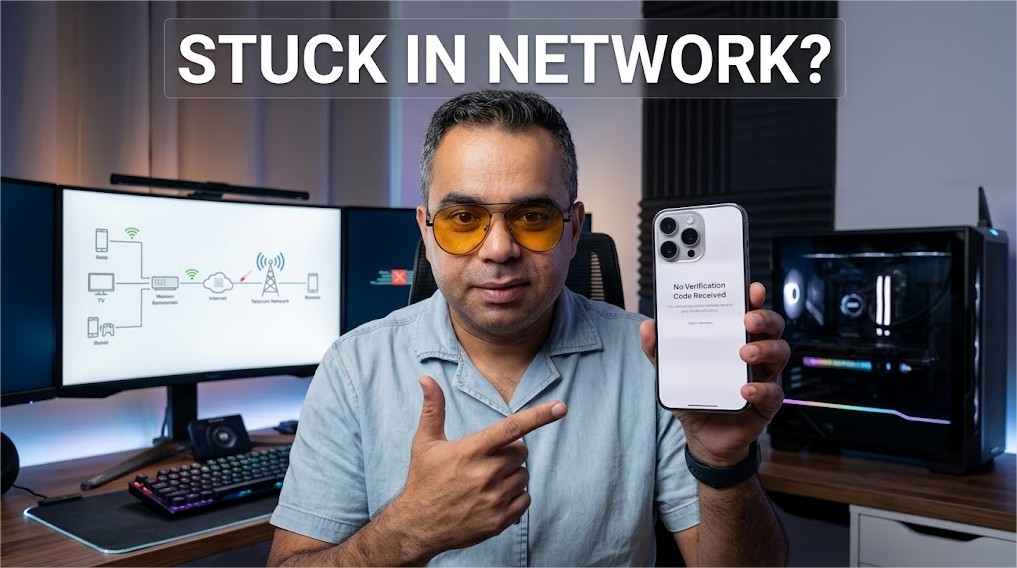
A one-time password doesn't travel directly from a company's server to your phone the way a regular text from a friend does. It goes through a chain most users never see. The platform's backend hands the message to what's called an SMS aggregator — a wholesale messaging provider that maintains connections into hundreds of mobile carriers worldwide. That aggregator picks a specific route into your country's telecom network, hands the message to your carrier's own message center, and only then does it get pushed out to your handset over the air.
Every one of those handoffs is a place something can go wrong, and critically, most of them can fail without generating any error message the company, the aggregator, or you would ever see.
3. Why One Country Code Sails Through and Another Just Vanishes
Here's the part that actually explains the pattern you're describing. Aggregators don't maintain identical, top-quality routes into every country code on Earth — that would be prohibitively expensive. Instead, most use something called Least Cost Routing: for each destination country, the system automatically picks whichever available path is cheapest while still meeting a minimum quality bar. For countries with large populations, mature telecom markets, and long-established direct interconnection agreements between carriers and aggregators, that cheapest viable route is usually still a solid, direct, reliable one. For smaller, newer, or less commercially prioritized country codes, the cheapest available route is sometimes a longer, indirect one, hopping through additional intermediary networks before it ever reaches the destination carrier.
On top of routing quality itself, some countries also require senders to complete specific regulatory registration before their messages are allowed through at all — similar in spirit to sender-ID registration requirements used in several markets. If a platform's messaging provider hasn't completed that registration for a particular country, carriers in that country are often permitted to silently discard the message at the border, with no bounce, no error, and no notification sent back up the chain to anyone.
4. The Part That Makes This So Confusing: Nobody Gets an Error
This is the detail that makes the whole situation feel so maddening from the user's side. In a huge share of these cases, the company's own system logs the message as successfully "sent." The aggregator's dashboard may even show a "delivered to carrier" status. From the platform's internal point of view, everything worked. The actual failure happens one step further down the chain — the carrier accepting the message from the aggregator, then quietly failing to push it out to your specific handset, without reporting that failure back upstream to anyone who could flag it.
That's why simply hitting "resend" repeatedly rarely fixes a routing-level problem, even though it's the first thing almost everyone tries. Resending sends another message down the exact same broken route. If the issue is genuinely the route itself rather than a one-off congestion blip, the tenth resend fails for the identical structural reason the first one did.
5. A Real Troubleshooting Sequence, In Order
Before assuming the worst, it's worth working through this in order, since each step rules out a different possible cause.
-
Confirm the number itself is entered correctlyDigits only, correct country code, no leading zero left over from the local format, no stray spaces or dashes the form might be silently mangling.
-
Test whether the number can receive SMS at all, from anythingHave a friend send a normal text message to that exact number. If that arrives fine, your device, SIM, and basic carrier connectivity are all working — which narrows the problem specifically down to this one platform's delivery route, not your phone in general.
-
Look for a "call me instead" or voice OTP optionMany platforms offer a phone call as a fallback to SMS. Voice calls travel through a completely different telecom path than A2P text messaging, so this alone frequently works even when SMS delivery to that number is structurally broken.
-
Check for a WhatsApp or authenticator-app verification optionBoth routes bypass traditional carrier SMS delivery entirely, sidestepping the exact chain that's failing.
-
Try a second SIM slot or a different number if you genuinely have one availableThis isolates whether the issue is tied to the specific number and its registered country code, or something broader with the device itself.
6. How to Escalate With Support Without Ever Sharing Your Password
If none of the above resolves it, the fix at that point usually lives on the company's side, not yours — and reaching out doesn't require handing over anything sensitive at all.
- Contact support through the platform's official help channel, not a number or link found through a search engine or forum post, to avoid landing on an impersonation site.
- Explain the pattern specifically: the exact country code affected, roughly how long it's been failing, and that a second country code on the same account or device works normally — this single detail often lets their support team jump straight to a routing investigation instead of generic troubleshooting.
- Ask directly whether they can switch your account's verification method to voice call, email-based verification, or an authenticator app instead of SMS — this is a completely reasonable, common request, and most platforms with proper support processes can do it.
- Share only what's needed to verify you own the account: your registered email, the phone number in question, and roughly when the issue started. A screenshot of the "code sent" screen is useful and safe to share, since it contains no sensitive data itself.
- Never share your password, and never forward an actual one-time code to a support agent, even one who sounds legitimate and asks nicely — a real support process verifies your identity through account details, not by asking you to hand over the exact secret the verification system exists to protect.
If a platform's support process ever does ask you to read out a one-time code or provide your password directly in chat, that's a signal worth treating with real suspicion regardless of how official the conversation otherwise looks — legitimate account recovery never depends on you giving up the one thing that's supposed to prove it's really you.
Explore More Awareness & Security Content
Discover more security tips, threat analysis, hacking awareness, and practical guides designed to help you stay safe online.
Visit Awareness & Security →