Cybersecurity Awareness
The Browser Extension You Installed Two Years Ago Might Be Reading Everything You Type
It started as a harmless coupon finder or PDF converter. Then it got sold, updated silently, and quietly turned into a data collection tool — without ever asking your permission again.
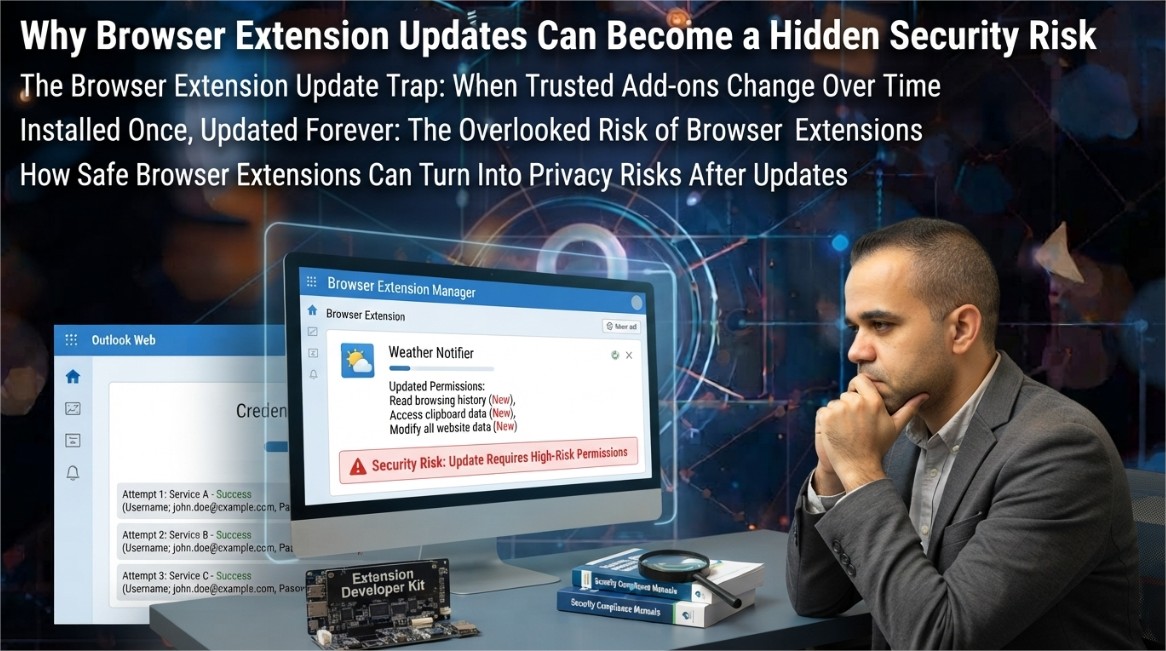
When you install a browser extension, you make a single trust decision at one moment in time. What almost nobody accounts for is that the extension you approved doesn't stay frozen at that moment — it keeps updating, silently, in the background, often for years, and each update operates under the permission grant you gave once and never revisited.
This gap between a one-time approval and an indefinitely evolving piece of software running inside your browser — with access to every page you visit — is one of the most persistently underestimated attack surfaces in everyday computing.
1. The Permission Loophole Nobody Talks About
Extension platforms generally re-prompt users for approval only when a new permission is added that wasn't previously granted. If an extension already has broad access — for example, permission to read and modify data on every website you visit — the developer can rewrite almost the entire logic of the extension without triggering a single new permission prompt. The code changes completely; the permission screen you saw at install time never changes at all.
This matters because a huge share of malicious extension activity doesn't start as malicious. It starts as a legitimately useful tool — a screenshot utility, a coupon aggregator, a color picker, a PDF-to-Word converter — built by an independent developer who eventually loses interest, runs out of funding, or is approached directly by a data broker or ad network willing to buy the extension purely for its installed user base.
2. Three Ways a Good Extension Turns Malicious
💰 Silent Sale to a Data Broker
The original developer sells the extension and its user base. The buyer pushes an update that adds tracking or data collection code, often disguised inside routine-looking version bumps.
📦 Compromised Update Pipeline
An attacker gains access to the developer's publishing credentials and pushes a malicious update directly, without the original developer's knowledge or consent.
🎯 Gradual Scope Creep
A struggling developer monetizes slowly — first with ads, then with browsing-data collection, then with more invasive tracking — each step small enough that users rarely uninstall in response to any single change.
3. Reading Permissions Like a Security Researcher
The permission names shown at install time are technical and easy to skim past, but each one maps to something concrete the extension can actually do. Understanding a handful of the most consequential ones changes how you evaluate every future install.
| Permission Shown | What It Actually Allows |
|---|---|
| Read and change all your data on the websites you visit | Full access to page content, including anything typed into forms — passwords, messages, card numbers — before encryption is even relevant. |
| Read your browsing history | A complete list of every site visited, which can be aggregated into a detailed behavioral and interest profile. |
| Manage your downloads | Ability to see, modify, or intercept files being downloaded, including documents and installers. |
| Access your clipboard | Ability to read anything copied to the clipboard, including passwords or two-factor codes copied from an authenticator app. |
| Communicate with cooperating websites | Allows the extension to exchange data with specific external servers, often used for the tracking or exfiltration components of a compromised extension. |
None of these permissions are inherently malicious in isolation — a legitimate password manager extension needs to read and modify page data to autofill credentials. The distinction that matters is whether the scope of permission requested is proportional to what the extension's stated function actually requires.
4. What a Malicious Extension Actually Collects
When an extension is compromised or repurposed for data collection, the most valuable and commonly targeted data falls into a few consistent categories, because these are what have direct resale or exploitation value:
- Form data entered on banking, shopping, and login pages before submission, often captured regardless of whether the connection is encrypted.
- Complete browsing history correlated with timestamps, used to build advertising or behavioral profiles sold to data brokers.
- Session cookies and authentication tokens, which can enable account access without ever needing a password at all.
- Search queries and on-page text, sometimes repurposed to inject affiliate links or redirect search results toward sponsored content.
- Screenshots or page content from specific targeted domains, such as webmail providers or corporate intranets.
5. Why App Store Review Doesn't Catch This
Extension marketplaces do run automated and sometimes manual review before an extension is published or updated, but this review model has a structural weakness: it primarily evaluates the code as it exists at submission time. Extensions can be built to check conditions before activating unwanted behavior — for instance, only triggering data collection after a delay, or only on domains not commonly used for testing — specifically to reduce the chance that automated review catches the behavior during the review window itself.
Additionally, updates to already-published extensions frequently receive lighter scrutiny than the initial submission, particularly for minor version increments, which is precisely the mechanism scope-creep and post-acquisition malicious updates rely on.
6. A Practical Extension Audit You Can Do Today
The fix here isn't avoiding extensions entirely — many are genuinely useful and safe — it's treating your installed extension list the way you'd treat a list of people with keys to your house: worth periodically reviewing, not something you set once and forget.
- Open your browser's extension management page and actually read the full list — most people are surprised by how many they've forgotten they installed.
- For each extension, ask whether you still actively use it. If not, remove it — an uninstalled extension has zero attack surface.
- Check the permissions each extension currently holds, not just what you remember approving originally, since permissions can expand with legitimate feature updates too.
- Favor extensions that clearly state a narrow, specific purpose over multi-purpose "all-in-one" tools that request broad access to justify a wide feature set.
- Check the developer's publishing history — a sudden change in developer name or a large gap followed by resumed updates after years of inactivity are both signals worth a closer look before trusting the next update.
- For anything handling sensitive data — password managers, banking-adjacent tools — prefer extensions from developers with a verifiable, ongoing reputation over lesser-known alternatives with similar functionality.
- Disable extensions you don't currently need rather than leaving them active indefinitely; most browsers let you toggle this without a full uninstall.
Conclusion
Browser extensions occupy a uniquely privileged position: they run with your logged-in sessions, see your typed input, and often sit quietly for years without drawing attention. That combination — high access, low ongoing scrutiny — is exactly what makes a previously trustworthy extension such an effective vehicle for data collection once ownership, incentives, or intentions change behind the scenes.
The good news is that the fix requires no special technical skill, only a habit: periodically reviewing what's actually installed, questioning whether each extension's permissions still match its stated purpose, and removing anything you no longer actively use. The extension itself was never the real risk. An extension left unexamined for years, quietly accumulating trust it was never re-earning, is.
Explore More Awareness & Security Content
Discover more security tips, threat analysis, hacking awareness, and practical guides designed to help you stay safe online.
Visit Awareness & Security →