How to use
Full Youtube TuTorial : https://youtu.be/qQCct_GInds
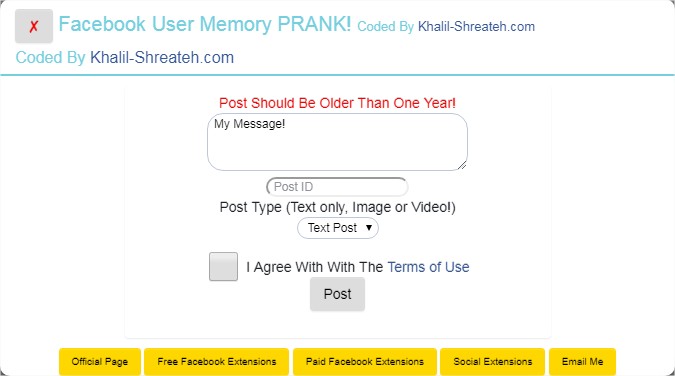
1- After installing refresh Facebook tab and run the extension from your browser bar.
2- Type custom message for your shared prank post
2- Type the target post ID. Post should be older than one year
3- Chose post type between static text, uploaded image or uploaded video.
4- Agree with terms of use before clicking on "Post"
Hints
- If the extension stopped working means Facebook patched this bug. Report to me to take it out.
Your download is on its way
Just a short wait — or explore while you wait.
🇬🇧 English: https://youtu.be/HaGLZ-eKi80
🇸🇦 فيديو عربي: https://youtu.be/oCuqr45qbGI