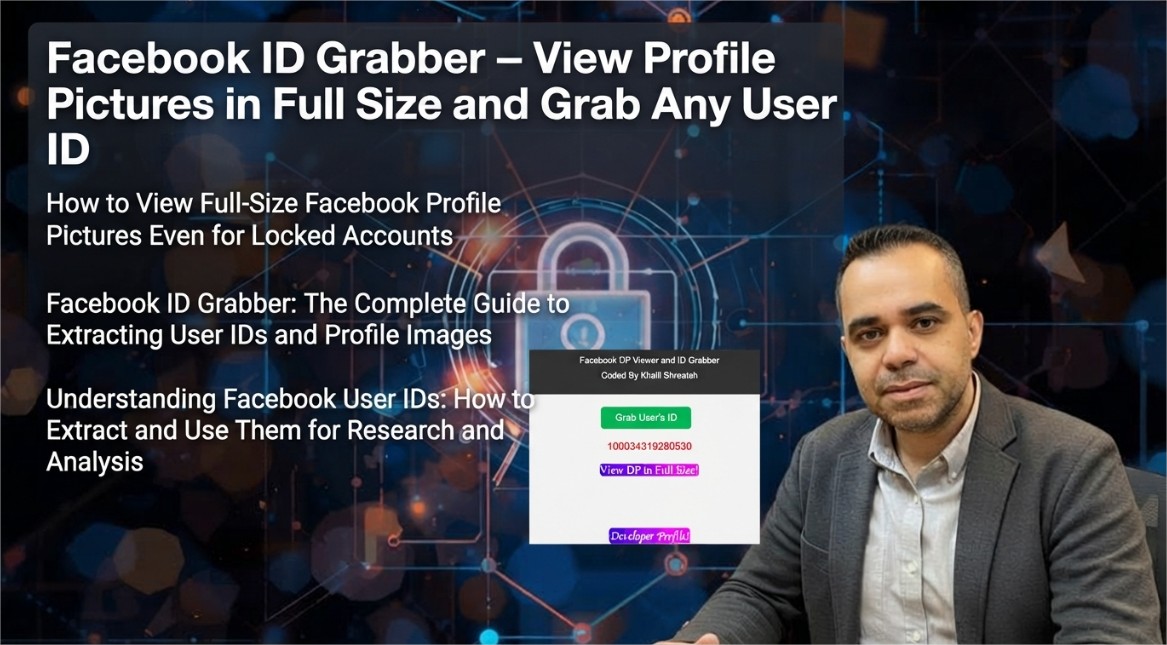
Every Facebook user account is assigned a unique numeric identifier known as a user ID. This ID serves as the primary key for Facebook's internal systems, linking together all user-related data—profile information, posts, photos, friendships, and activity logs. Unlike the custom username that users can choose, the numeric ID remains constant and can be used to identify a user regardless of changes to their display name or vanity URL.
The Facebook ID Grabber Chrome extension provides a straightforward method for retrieving this numeric identifier from any Facebook profile. Additionally, it enables users to view profile pictures in full resolution—a feature that is particularly useful when the profile image is displayed at a reduced size on the page or when the account is locked and the image is not readily accessible through the standard interface.
What the Facebook ID Grabber Extension Does
The extension performs two primary functions:
- Facebook user ID extraction: Retrieves the numeric user ID from any Facebook profile, page, or group URL. This ID can be used for research, data analysis, or cross-referencing user information across different platforms
- Full-size profile picture viewing: Displays the profile picture of any Facebook user in its original resolution, even for locked accounts where the image may be obscured or reduced in size on the main profile page
The extension operates by interacting with Facebook's official API, which ensures that the data retrieved is accurate and up to date. It does not rely on scraping or parsing the HTML of the page, making it more reliable and less likely to break when Facebook updates its interface.
Understanding Facebook User IDs
A Facebook user ID is a numeric string that uniquely identifies a user account. It is distinct from the custom username that appears in profile URLs (e.g., facebook.com/username). The numeric ID is used internally by Facebook for all API calls and data operations.
User IDs are valuable for several purposes:
- Social media research: Researchers studying social networks often use user IDs to track interactions, map connections, and analyze network structures
- Data analysis: Marketers and analysts use IDs to correlate user data across different platforms or to build audience profiles
- API integration: Developers working with Facebook's Graph API require user IDs to query specific user data
- Content identification: User IDs can be used to locate content posted by a specific user, even if their display name has changed
It is important to note that user IDs are public information in the sense that they are exposed through Facebook's interface. However, the extension does not access or display any private data—it only retrieves information that is already publicly available through Facebook's API.
Viewing Profile Pictures in Full Size
Facebook displays profile pictures at various resolutions depending on the context. On the profile page, the image is typically shown at a reduced size. When users view the image directly, they may see a larger version, but this is often capped at a specific resolution.
The extension bypasses these limitations by fetching the profile picture from Facebook's CDN (content delivery network) at its original resolution. This means that even if the account is locked—and the profile picture is not displayed prominently—the extension can still retrieve and display the full-size image.
This feature is useful for:
- Verification: Comparing a user's profile picture across different accounts to confirm identity
- Research: Analyzing profile images for academic or market research purposes
- Accessibility: Viewing images that may be difficult to see at reduced sizes
Technical Implementation and Privacy Considerations
The extension uses Facebook's official Graph API to retrieve user data. This means that the extension operates within Facebook's terms of service and does not employ any unauthorized scraping techniques. The data retrieved is limited to what is publicly available through the API—primarily the user ID and the profile picture URL.
The extension does not collect, store, or transmit any user data externally. All processing occurs locally within the browser instance. The developer has explicitly disclosed that the extension does not collect or use any personal data, does not sell data to third parties, and does not use data for any purpose unrelated to the extension's core functionality. The privacy policy is publicly available and clearly states these commitments[reference:0].
The extension is built using Manifest V3, the latest version of Chrome's extension platform, which enforces stricter security controls and limits the scope of permissions that extensions can request. This ensures that the extension operates with minimal privileges while still providing its full functionality.
How to Install and Use Facebook ID Grabber
The extension is available for free on the Chrome Web Store. Installation takes only a few seconds:
- Navigate to the Facebook ID Grabber listing in the Chrome Web Store
- Click the "Add to Chrome" button
- Confirm the permissions requested by the extension
- Once installed, pin the extension to the toolbar by clicking the puzzle piece icon and selecting the pin icon next to the extension's name
To use the extension, navigate to any Facebook profile, page, or group page. Click the extension icon in the toolbar. The extension will retrieve the user ID and the full-size profile picture URL and display them in the popup interface.
The developer recommends watching the YouTube tutorial before using the extension to ensure proper operation. Users may need to refresh the Facebook page before running the extension to avoid errors[reference:1].
Who Benefits from Facebook ID Grabber
The extension is designed to be useful for:
- Social media researchers: Extracting user IDs for network analysis and research projects
- Marketers and analysts: Gathering data for audience profiling and market research
- Developers: Obtaining user IDs for API integration and testing
- Privacy-conscious users: Understanding what information is publicly available about their own profile
The extension's simplicity and focus on two core functions—ID extraction and full-size image viewing—make it a practical tool for anyone who needs to work with Facebook user data. By using the official Facebook API, the extension ensures reliability and compliance with Facebook's terms of service.
The Facebook ID Grabber extension represents a focused, practical tool that solves a specific problem: retrieving numeric user IDs and full-size profile pictures from Facebook profiles. Whether you are a researcher, marketer, developer, or simply curious about Facebook's data structures, the extension provides the functionality you need with minimal friction.
Written by Khalil Shreateh Cybersecurity Researcher & Social Media Expert Official Website: khalil-shreateh.com