
WhatsApp has become as essential to daily life as electricity. With over two billion active users sending more than 100 billion messages every single day, it is the world's most widely used messaging platform — and that makes it one of the most attractive targets for cybercriminals on the planet.
In recent months, reports of sudden account bans, unexpected logouts, and full account takeovers have surged dramatically. Users are waking up to find themselves locked out of conversations they have been having for years, their contacts receiving fraudulent messages in their name, their personal photos and private conversations suddenly in the hands of strangers.
How does this happen? Who is really at fault? And most importantly — what can you do right now to make sure it never happens to you?
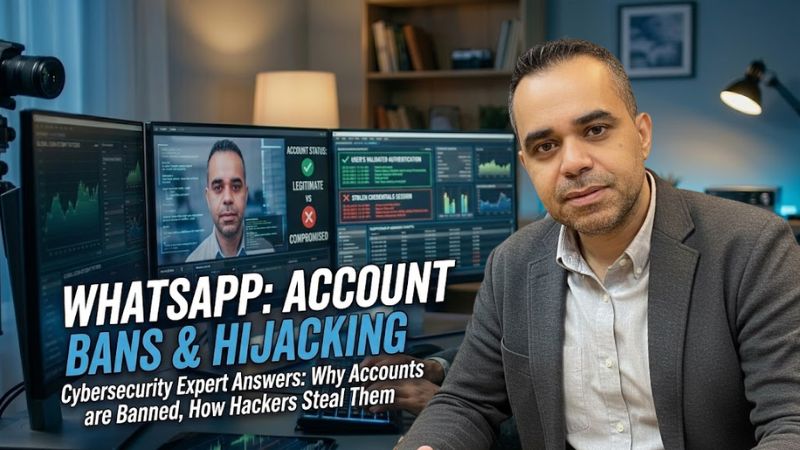
We put these questions to cybersecurity expert Khalil Shreateh, and what follows is a comprehensive breakdown of everything you need to know about WhatsApp security in 2024.
Why Does WhatsApp Ban Accounts Without Warning?
This is one of the most common complaints heard from users across the Arab world and beyond. You wake up one morning, open WhatsApp, and find a message telling you that your account has been banned — temporarily for 24 hours, for a week, or permanently.
The confusion is understandable, especially when the user genuinely believes they have done nothing wrong.
The most common cause is something most people do not think of as a violation: sending repeated identical messages to a large number of people in a short period of time. A business owner copying and pasting the same promotional message to twenty or thirty contacts within a single minute, a real estate agent blasting the same property listing to an entire contact list, a community organizer forwarding the same announcement repeatedly — all of these behaviors trigger WhatsApp's automated spam detection systems.
WhatsApp's terms of service are explicit on this point. According to the WhatsApp Legal Information page, users agree not to "send bulk or automated messages" and not to use the service "to send spam." The system does not distinguish between well-intentioned promotional messages and malicious spam — volume and repetition are what trigger the flag.
Bans typically follow a progressive pattern: a first offense results in a temporary 24-hour restriction. Repeated violations escalate to longer bans and ultimately permanent suspension. If you are running a legitimate business and need to send promotional messages, WhatsApp's official answer is WhatsApp Business or the WhatsApp Business API, both of which are designed specifically for this purpose and operate under different rules.
A separate but equally serious cause of permanent bans is sharing content that violates WhatsApp's policies — illegal imagery, content that infringes copyright, or material flagged by other users through the in-app reporting system. This type of ban is handled differently from spam-related bans and is rarely reversible.
If you believe your account has been banned unfairly, WhatsApp provides a direct appeals process. When you see the ban notification, tap "Support" within the message itself to submit a request for review. You can also contact WhatsApp support through wa.me/support or visit the WhatsApp Help Center for guidance specific to your situation.
How Do Hackers Actually Steal WhatsApp Accounts?
Here is the statistic that should make every WhatsApp user pause: approximately 90% of WhatsApp account compromises happen because the user unknowingly helped the attacker. Not because of sophisticated hacking tools. Not because of government-level surveillance technology. Because of a six-digit number.
When you register WhatsApp on a new device, the app sends a one-time verification code to your phone number via SMS. This code is the only key needed to claim ownership of your account on any device in the world. Whoever has that code, has your account.
Attackers use a technique called social engineering — psychological manipulation rather than technical hacking — to trick users into handing over this code voluntarily. The approaches are surprisingly simple and disturbingly effective:
The Prize Scam: You receive a message — sometimes from what appears to be an official WhatsApp number, sometimes from a contact whose account has already been compromised — telling you that you have won a cash prize, a gift card, or a special promotion. To claim it, you just need to share the verification code that will be sent to your phone. You share the code. Your account is gone within seconds.
The Technical Support Threat: You receive an urgent message claiming to be from WhatsApp's support team or Meta, warning you that your account will be permanently deleted within 24 hours due to a violation — unless you immediately confirm your identity by sharing the verification code sent to your number. The panic this creates causes users to act before they think.
The Friend in Need: A contact's account has already been stolen. The attacker, now posing as your friend, messages you saying they accidentally had a code sent to your number instead of theirs, and asks you to forward it. It feels like helping a friend. It is anything but.
WhatsApp itself is unambiguous about this: the company will never ask for your verification code under any circumstances. This is stated directly in the WhatsApp FAQ on account security. If anyone asks for your six-digit code — no matter who they claim to be — the answer is always no.
Can WhatsApp Be Hacked Without You Clicking Anything?
Yes — and this is where the conversation moves from social engineering into genuinely advanced technical territory.
Zero-click exploits are vulnerabilities in the WhatsApp application itself, or in the underlying operating system, that allow an attacker to compromise a device simply by sending a specially crafted message or image file. The malicious code executes the moment the app processes the incoming data — no tap, no click, no interaction of any kind required from the victim.
The most well-documented example is the 2019 vulnerability that allowed attackers to install surveillance software on target devices through a simple missed call via WhatsApp's audio calling feature. The target did not need to answer the call. The attack succeeded automatically.
These vulnerabilities are extraordinarily rare and extraordinarily expensive. Intelligence agencies and nation-state actors pay hundreds of thousands — sometimes millions — of dollars to acquire them. They are not used against ordinary users. They are reserved for high-value targets: journalists, activists, government officials, and business executives.
For the average person, the practical risk of a zero-click attack is vanishingly small. The practical risk of handing your verification code to a scammer is enormous.
That said, the best protection against zero-click attacks is also the simplest: keep your WhatsApp and your phone's operating system updated at all times. Every update patches known vulnerabilities. Every day you delay an update is a day you remain exposed to risks that have already been identified and fixed. WhatsApp explains its update policy and the importance of keeping the app current in their Help Center.
What Is the First Thing You Should Do If Your Account Is Stolen?
If you suspect your WhatsApp account has been compromised, the single most important instruction is this: do not log out.
This is the instinctive reaction for most people — panic sets in, and logging out feels like the safe response. It is actually the worst thing you can do, because it terminates your own active session and potentially makes recovery significantly harder.
Instead, follow these steps immediately and calmly:
Step 1: Open WhatsApp and re-register your number. Request a new SMS verification code to your SIM card. Enter the code when it arrives. This forces the attacker's session to terminate — WhatsApp only allows one active session per phone number at a time.
Step 2: Once you are back in, go to Settings → Linked Devices. Review every device listed there and log out of any session you do not recognize. According to WhatsApp's Linked Devices FAQ, you can be logged in on up to four linked devices simultaneously — an attacker may have added their own.
Step 3: Go to Settings → Account → Two-Step Verification and immediately set up a PIN if you have not done so already. This prevents the attacker from re-registering your number even if they try again.
Step 4: Alert your contacts. Send a message to your key contacts letting them know your account was briefly compromised, and to ignore any unusual messages or requests they may have received from your number during that period.
How to Professionally Protect Your WhatsApp Account
Prevention is incomparably easier than recovery. These are the specific security measures that every WhatsApp user should have active right now:
Two-Step Verification This is the single most effective protection available. Go to Settings → Account → Two-Step Verification → Enable, and set a six-digit PIN that only you know. Even if an attacker obtains your SMS verification code, they cannot complete registration without this PIN. WhatsApp's full guide to this feature is available at the Two-Step Verification Help page. Use a PIN you will remember but cannot be guessed — avoid birthdays, sequential numbers, or anything publicly associated with you.
Passkeys Passkeys are a newer, more advanced authentication method that WhatsApp has begun rolling out. They allow you to log in using your device's biometric authentication — fingerprint or face recognition — instead of a code, making account access both faster and significantly more secure. You can enable this under Settings → Account → Passkeys on supported devices. WhatsApp's official explanation of passkeys is available in their Help Center.
App Lock with Biometrics Separately from account-level security, you can lock the WhatsApp application itself so that it requires your fingerprint or face scan every time it is opened. This prevents anyone with physical access to your unlocked phone from reading your messages. Enable it under Settings → Privacy → Screen Lock.
Review Linked Devices Regularly Make a habit of checking Settings → Linked Devices every few weeks. If you see any device you do not recognize, remove it immediately. This takes thirty seconds and could be the difference between catching a breach early and discovering it weeks later.
The Mistakes That Make Your Account Easy to Hack
Beyond the specific security settings, there are behavioral patterns that make users significantly more vulnerable:
Using Modified WhatsApp Applications Apps like "WhatsApp Gold," "GBWhatsApp," or "WhatsApp Plus" are unofficial, third-party modified versions of the application that promise features the official app does not offer — reading deleted messages, using two numbers on one device, hiding your online status. They are also frequently bundled with malware, and using them is a direct violation of WhatsApp's terms of service that can result in permanent account suspension. WhatsApp's position on this is clear: only the official application from the Google Play Store or Apple App Store should ever be used. If you need a second WhatsApp number legitimately, the official solution is WhatsApp Business, which allows a separate business number on the same device.
Sharing Verification Codes Under Any Circumstances There is no legitimate scenario — none — in which sharing your WhatsApp verification code with another person is the correct action. Not with a friend, not with a family member, not with someone claiming to be from WhatsApp support, not with anyone. The moment someone asks for this code, the correct response is to end the conversation and report the contact.
Ignoring Software Updates Every unpatched update is a known vulnerability left open. Enable automatic updates for both WhatsApp and your operating system so that security patches are applied the moment they become available.
Can Hackers Read Your Old Conversations After Stealing Your Account?
This is a question that causes significant anxiety, and the answer is more nuanced than most people expect.
When an attacker registers your WhatsApp account on their device, they gain access to new messages going forward — but not to your historical conversations. WhatsApp does not automatically transfer your message history to a new device during registration. Your old messages exist only in two places: on your physical device, and in your cloud backup.
This means that if an attacker wants your past conversations, they need access to your backup. For Android users, WhatsApp backups are stored on Google Drive, linked to your Gmail account. For iPhone users, they are stored on iCloud, linked to your Apple ID.
If your Google or Apple account is secure — protected by a strong password and two-factor authentication — your historical messages are safe even if your WhatsApp account is temporarily stolen. This is why security professionals consistently emphasize that protecting your email account is just as important as protecting WhatsApp itself. A compromised Gmail account is not just an email problem — it is a gateway to your entire digital life.
WhatsApp's backup and restore process is documented in detail in their Help Center.
Why WhatsApp Is Such an Attractive Target
The answer comes down to two factors: scale and sensitivity.
WhatsApp connects over two billion people. No other single platform concentrates that volume of private human communication in one place. For a cybercriminal, that scale means an enormous pool of potential victims and an enormous amount of valuable data to exploit.
The sensitivity of what passes through WhatsApp compounds this. Unlike a social media platform where posts are semi-public by design, WhatsApp carries genuinely private content — family conversations, personal photographs, financial discussions, business negotiations, medical information. This content has direct blackmail value. It also enables convincing impersonation: an attacker who has spent a week reading your WhatsApp conversations knows how you write, who you are close to, what your relationships look like, and how to convincingly pose as you to extract money from the people who trust you most.
Awareness Is Your First Line of Defense
The uncomfortable truth about WhatsApp security is that the vast majority of successful attacks do not require sophisticated technology. They require one moment of inattention, one instinctive reaction to a fake emergency, one impulsive decision to share a code that should never be shared.
By enabling two-step verification, activating biometric app lock, reviewing your linked devices regularly, keeping your applications updated, and never sharing your verification code with anyone under any circumstances, you eliminate the risk of the overwhelming majority of attacks that target WhatsApp users every day.
Security is not a product you install once. It is a habit you build and maintain. And in an environment where the attacks are becoming more convincing by the month, the habit of pausing — of slowing down and verifying before acting — may be the most valuable security tool you have.
Written by Khalil Shreateh Cybersecurity Researcher & Social Media Expert Official Website: khalil-shreateh.com
Found this article useful? Share it with your friends