Complete User Account Expiration Management for Joomla
Published on: October 19, 2025 | By: Khalil Shreateh
The User Expiration Plugin is a powerful Joomla system extension that allows administrators to set individual expiration dates for user accounts. With an intuitive calendar interface, you can specify exact dates when user accounts should automatically expire, making it perfect for temporary accounts, trial memberships, and time-limited access systems.
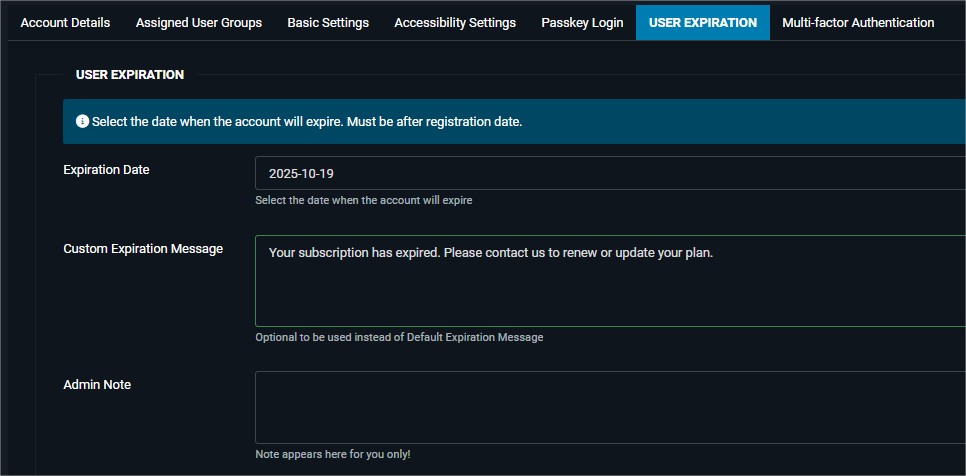
Key Features
Calendar Date Picker
Easy-to-use calendar interface for selecting expiration dates
Automatic Expiration
Accounts automatically expire on specified dates
Custom Messages
Set custom expiration messages per user
Secure Validation
Ensures expiration dates are after registration
How It Works
The plugin seamlessly integrates with Joomla's user management system:
- Install the plugin through Joomla's extension manager
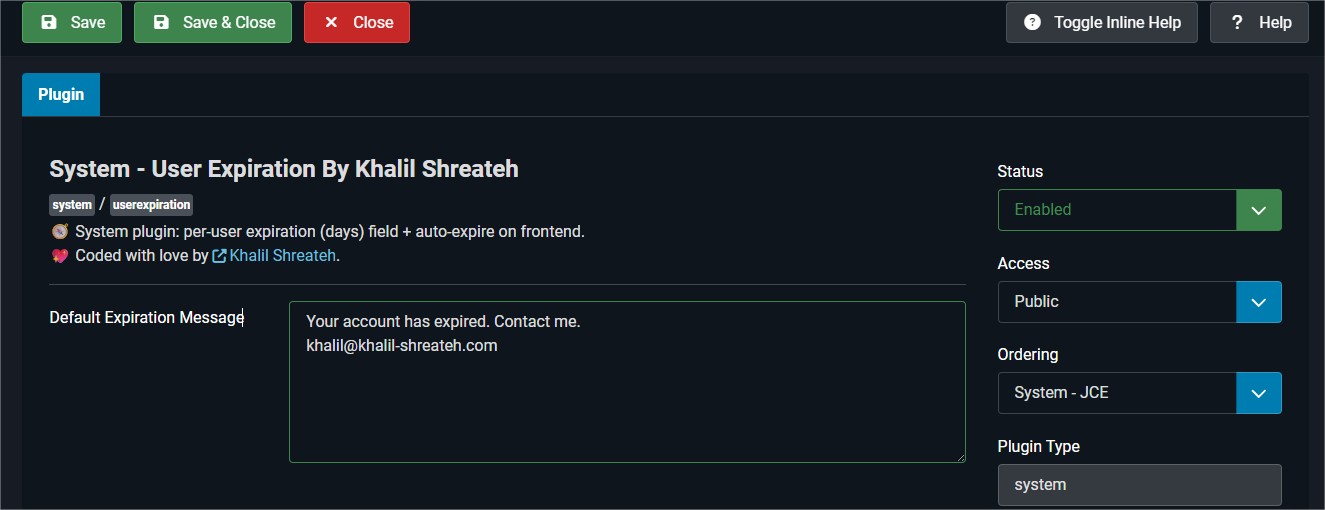
- Configure the default expiration message in plugin settings
- Set expiration dates for individual users in their profile
- Automatic enforcement - users are logged out when their account expires
Use Cases
- Trial Memberships: Automatically expire accounts after trial period
- Event Access: Provide temporary access for conference or event attendees
- Project-Based Accounts: Set expiration dates for contractors or temporary staff
- Subscription Management: Handle account expiration for paid subscriptions
- Student Accounts: Automatically expire accounts at end of semester
Technical Details
The plugin is built with modern Joomla standards and includes:
- Joomla 5.0+ compatibility
- PHP 7.4+ requirement
- JSON-based data storage
- Full multilingual support
- Regular security updates
Installation Guide
- Download the plugin package
- Go to Joomla Administrator → Extensions → Manage → Install
- Upload the plugin package file
- The plugin will be automatically installed and enabled
- Configure the default expiration message in plugin settings
- Start setting expiration dates for users in their profiles
Youtube Tutorial
Download
Ready to automate your user account management? Download the User Expiration Plugin now!
Download Plugin (Free)Preparing your download...
Your download will start automatically in: