Leave Facebook Groups All at Once, Chrome Extension .
Intro
Q:
How To Stop People From Adding me on Facebook Groups
How do I stop being automatically added to groups?
How do I stop people from adding me to groups without my permission?
A:
You cant. Facebook allows your friends to add you to any group without your permission.
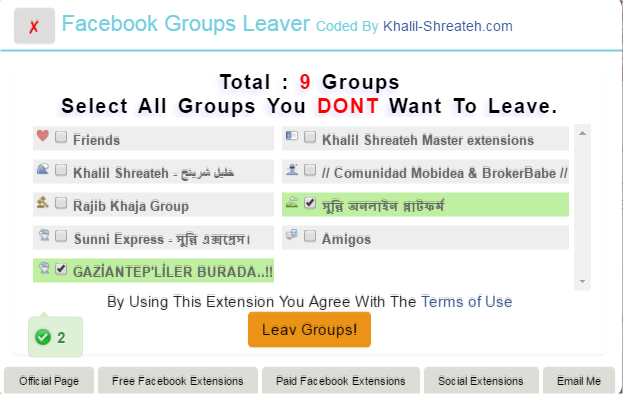
However, you can use Facebook Groups Leaver free chrome extension developed by me to leave all groups you are in.
Facebook Groups leaver extension will leave all the groups you are in:
1- Select all group you dont want to leave MAKE SURE TO SELECT GROUP YOU ARE ADMIN IN.
2- Check "Terms of use" checkbox to accept the terms of use. (Contact me for a clean copy out of Terms of use)
3- Click 'Leave Groups!' button to start leave all groups except the selected ones.
Your download is on its way
Just a short wait — or explore while you wait.
🇬🇧 English: https://youtu.be/E8DxtzziewU
🇸🇦 فيديو عربي: https://youtu.be/E8DxtzziewU